Label. Train. Deploy.
Browser agents.
Your agent executes 50 actions. One fails. Surfs tells you exactly which one and why.
Spend hours debugging blind
Element moved during scroll
Fix in seconds, not hours
Browser agents fail. You have no idea why.
Training LLMs is solved. Training browser agents? That's the frontier.
Action sequence 1-50: Which step failed? Traditional testing can't tell you.
No training data infrastructure
- •Training data for text and images is solved. Action sequences? Not even close.
- •No way to label which actions succeeded vs failed in a 50-step sequence
- •Can't build datasets without capture + annotation tooling
- •You're stuck with whatever the LLM gives you
No baseline for improvement
- •GPT-4 gets 60% success rate. Is Claude better? You have no idea.
- •Changed the prompt - did it help or hurt? No way to measure.
- •Can't A/B test models without deterministic replay
- •Every 'improvement' is a guess
Missing training & eval layer
- •Playwright/Puppeteer say 'test failed' - but which of 50 actions broke?
- •No action-level pass/fail. Just end-to-end success or failure.
- •Can't run systematic evals without sandboxed environments
- •Traditional testing tools weren't built for agents
Built by the team behind Debugg.ai (800+ users)
The missing layer between automation and production
Works with Playwright, Puppeteer, Selenium, browser-use, or any browser automation framework
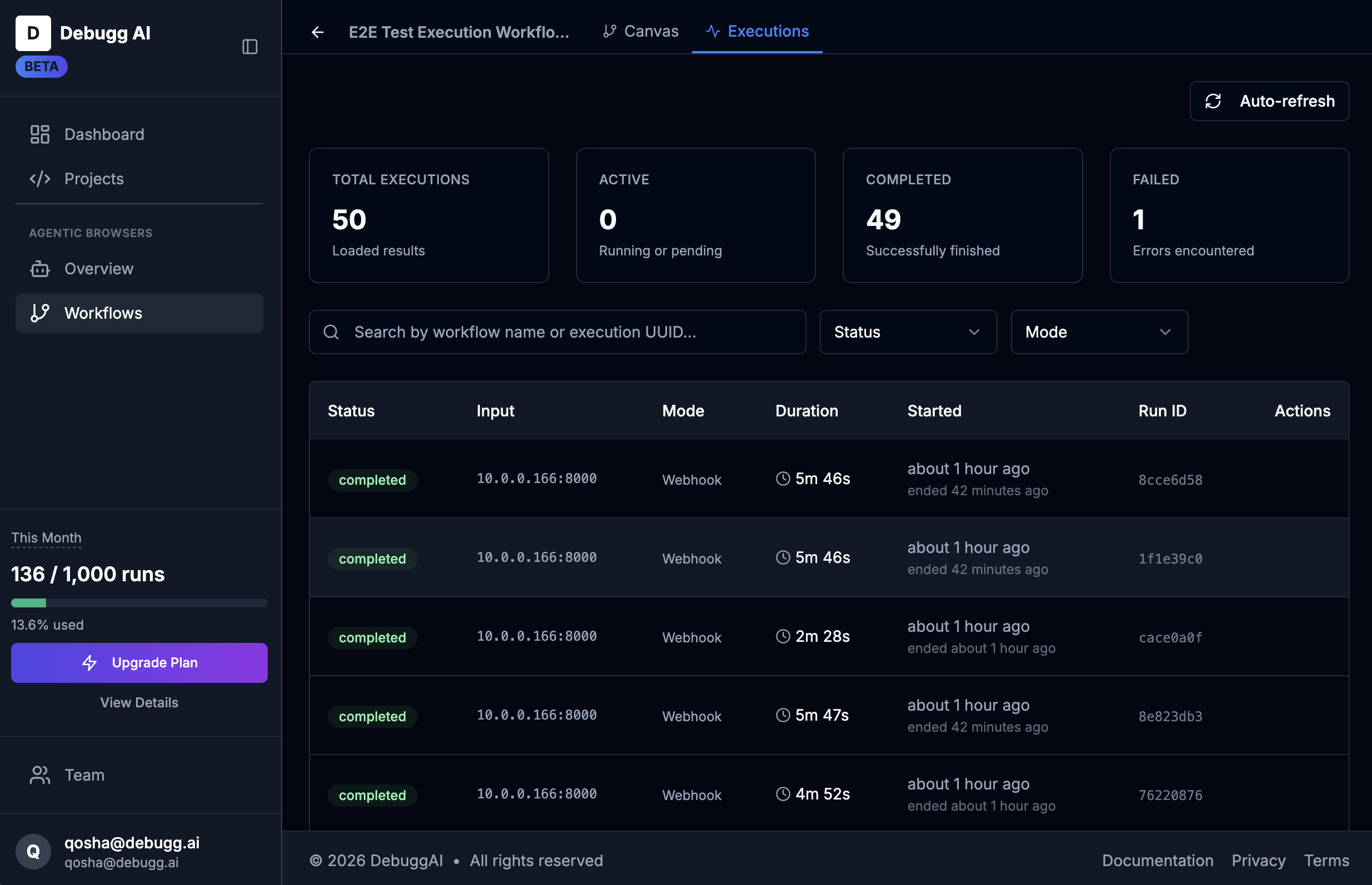
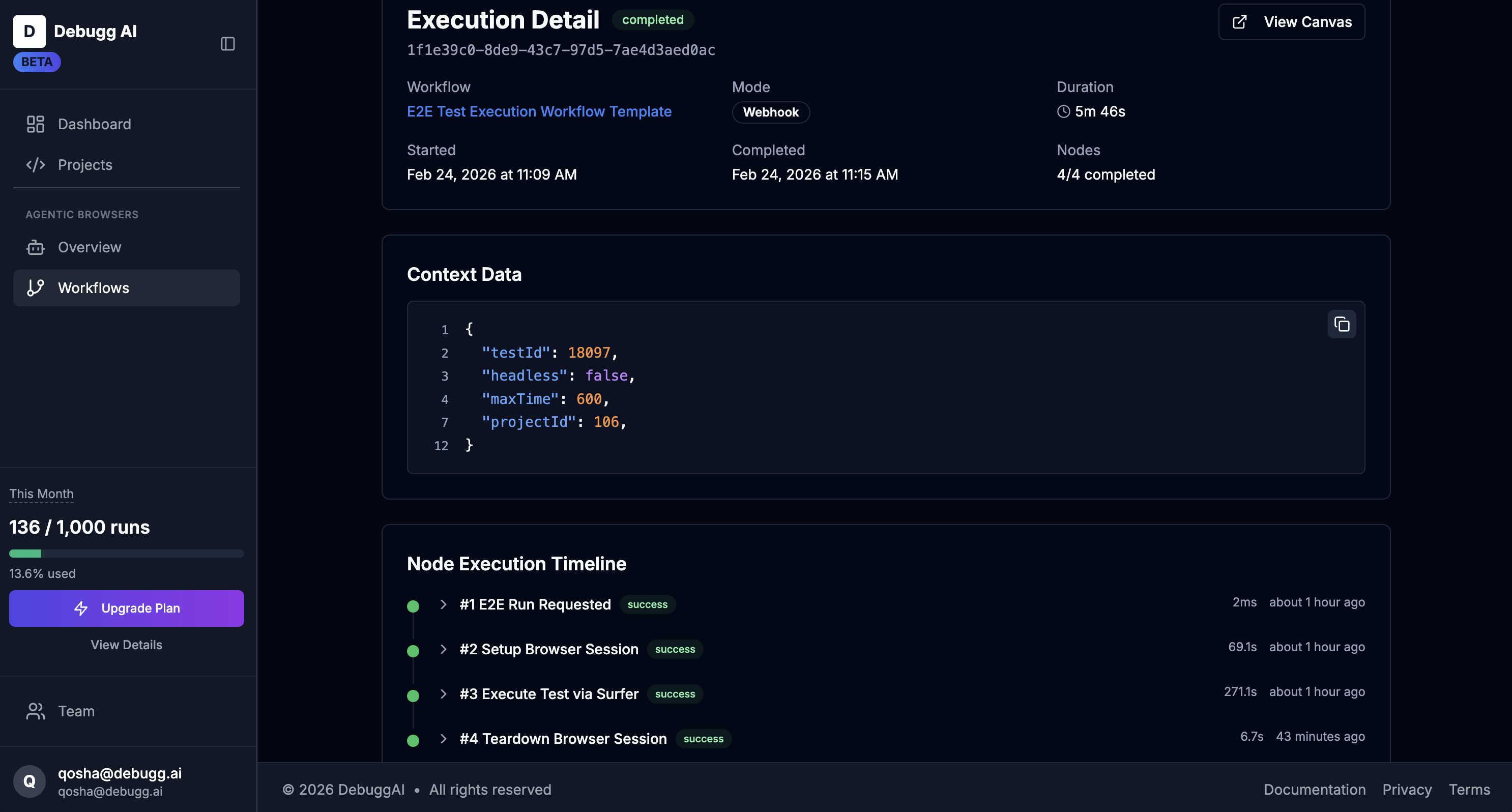
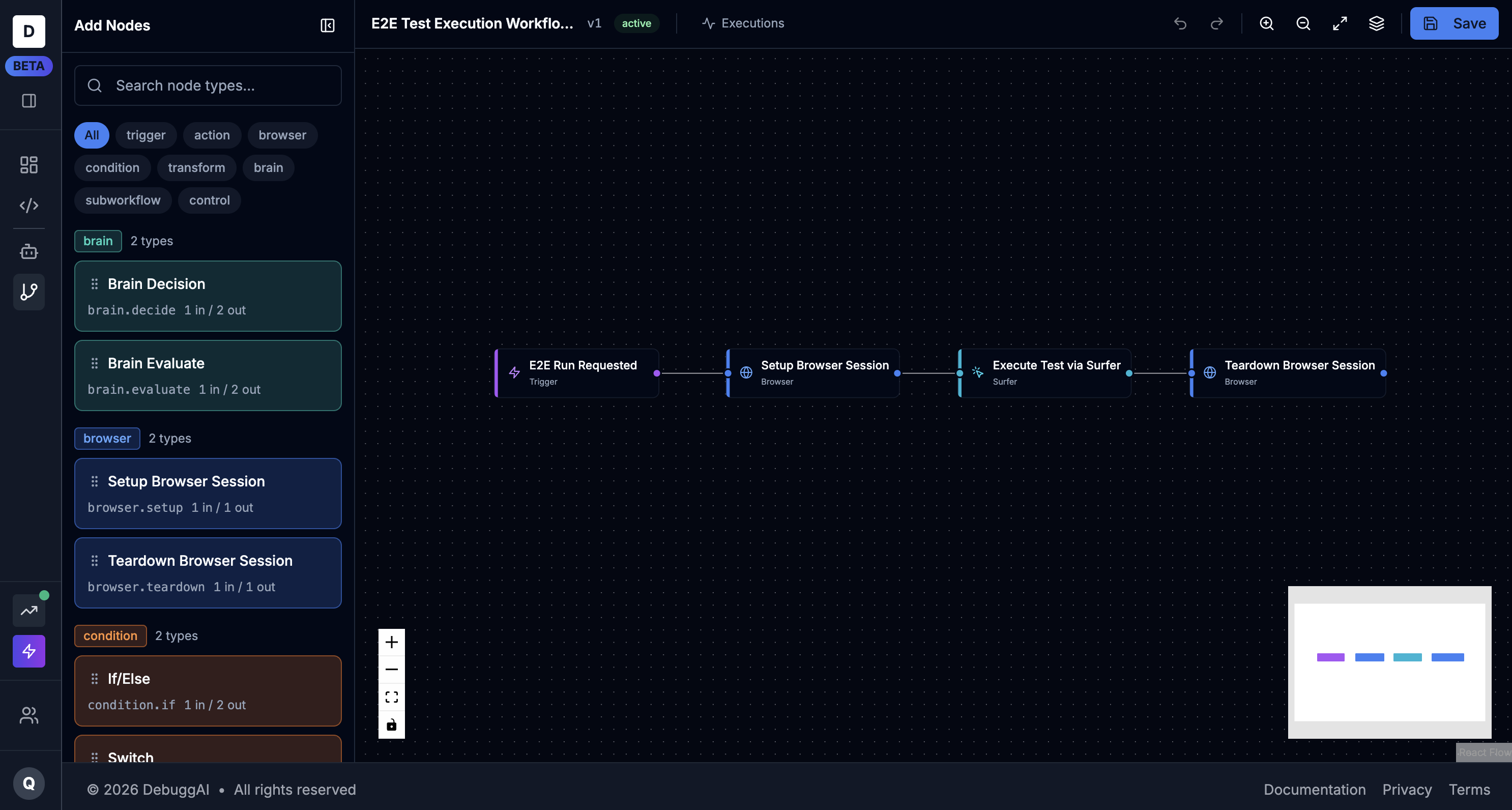
Example: E2E Test Workflow
Framework-agnostic. Works with your existing automation stack.
Five core capabilities
Label action sequences
Build training datasets
Systematic evaluation
Version control for agent behavior
Safe deployment
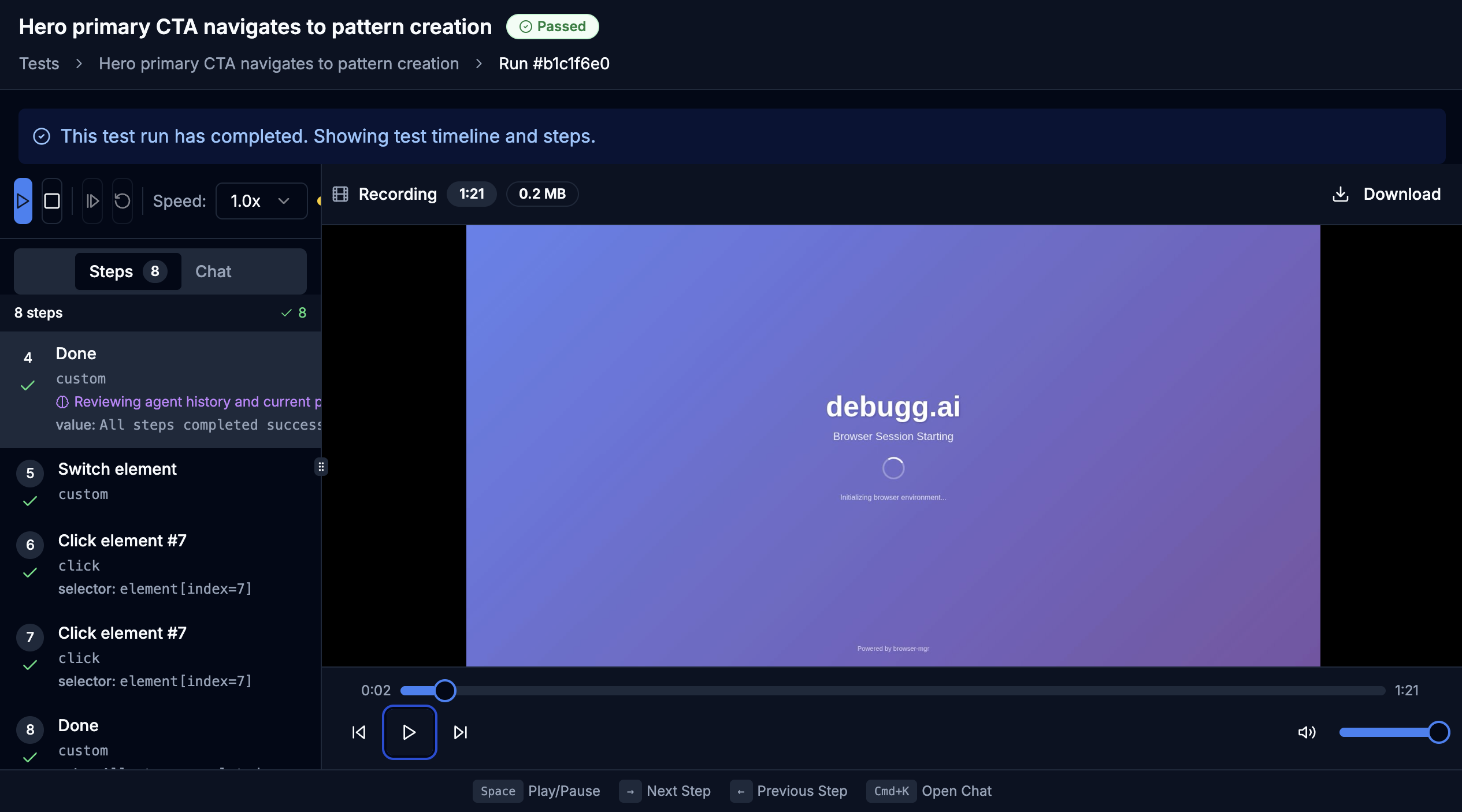
Capture what your agent actually did
Action #37 failed. But what was the DOM state? Which element did it click? What was visible on screen?
1. Capture Session
// Capture agent session with full tracing
import { Surfer } from '@surfs-dev/sdk'
const session = await Surfer.capture({
task: "Complete checkout flow",
agent: yourAgent,
captureScreenshots: true,
captureDOMSnapshots: true
})
// Session automatically traces every action
console.log(session.id) // "sess_abc123"2. Annotate Actions
// Review and annotate actions
const trace = await Surfer.getTrace(session.id)
// Mark specific actions as correct/incorrect
await trace.actions[37].annotate({
label: "incorrect",
reason: "Clicked 'Delete' instead of 'Cancel'",
correctAction: {
type: "click",
selector: "button[data-action='cancel']"
}
})
// Export annotated session
const labeled = await session.export()
// Returns action sequence with human feedbackSession Replay UI
Action Timeline
Trace Data Format
{
"session_id": "sess_abc123",
"task": "Complete checkout flow",
"timestamp": "2026-02-11T10:30:00Z",
"actions": [
{
"action_id": "act_37",
"step": 37,
"type": "click",
"selector": "button.delete-account",
"timestamp": "2026-02-11T10:30:45.234Z",
"screenshot_url": "s3://...",
"dom_snapshot": "...",
"success": false,
"error": {
"type": "wrong_element",
"message": "User intended to click Cancel"
},
"label": "incorrect",
"human_feedback": {
"annotated_by": "user_123",
"reason": "Wrong button - should cancel not delete",
"correct_selector": "button[data-action='cancel']"
}
}
],
"outcome": "failed",
"total_actions": 50,
"labeled_actions": 50
}Turn failed agent runs into training data. Every mistake becomes a labeled example of what NOT to do.
Export labeled data. Train your models.
147 labeled sessions. 3,421 annotated actions. How do you turn that into training data?
Export API
// Export labeled sessions for training
import { Surfer } from '@surfs-dev/sdk'
const dataset = await Surfer.exportDataset({
sessionIds: ["sess_abc123", "sess_def456"],
format: "openai-jsonl", // Compatible with OpenAI fine-tuning
includeCorrectActions: true,
includeIncorrectActions: true,
includeScreenshots: false
})
// Download JSONL file
await dataset.download("training-data.jsonl")
// Or stream to your training pipeline
for await (const batch of dataset.stream()) {
await yourTrainingPipeline.ingest(batch)
}Dataset Configuration
// Configure dataset creation
const config = {
filter: {
outcome: ["failed", "partial_success"],
labeledOnly: true,
dateRange: {
start: "2026-01-01",
end: "2026-02-11"
}
},
transform: {
// Map to your model's format
systemPrompt: "You are a browser automation agent",
includeContext: {
previousActions: 3, // Include N previous actions
domContext: true // Include DOM state
}
},
split: {
train: 0.8,
validation: 0.1,
test: 0.1
}
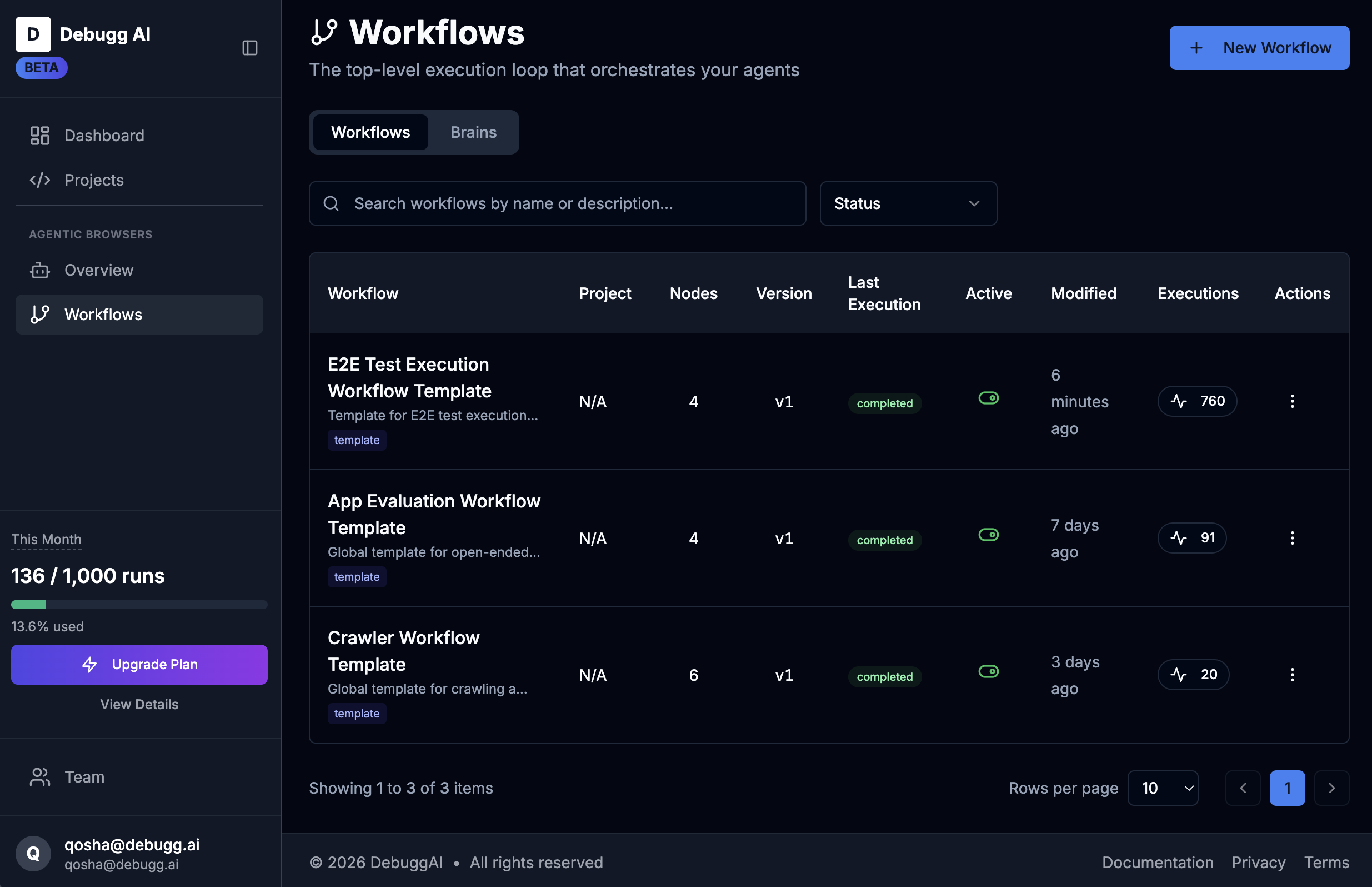
}Agent Dashboard
All Agents
OpenAI JSONL Format
{"messages": [{"role": "system", "content": "You are a browser agent"}, {"role": "user", "content": "Click the Cancel button in the modal"}, {"role": "assistant", "content": "{\"action\": \"click\", \"selector\": \"button[data-action='cancel']\"}"}], "metadata": {"session_id": "sess_abc123", "action_id": "act_37", "label": "correct", "task": "Checkout flow"}}
{"messages": [{"role": "system", "content": "You are a browser agent"}, {"role": "user", "content": "Click the Cancel button in the modal"}, {"role": "assistant", "content": "{\"action\": \"click\", \"selector\": \"button.delete-account\"}"}], "metadata": {"session_id": "sess_abc123", "action_id": "act_36", "label": "incorrect", "reason": "Wrong button - user wanted cancel not delete"}}
{"messages": [{"role": "system", "content": "You are a browser agent"}, {"role": "user", "content": "Type email address into login form"}, {"role": "assistant", "content": "{\"action\": \"type\", \"selector\": \"input[type='email']\", \"value\": \"user@example.com\"}"}], "metadata": {"session_id": "sess_def456", "action_id": "act_12", "label": "correct"}}OpenAI Fine-Tuning Integration
• Drop-in compatible with openai.File.create()
• Supports both chat completion and completion formats
• Automatic train/validation/test splits
• Metadata preserved for experiment tracking (Weights & Biases, MLflow, etc.)
Scale AI for action sequences. Turn agent failures into training data with one API call.
Action-level pass/fail. Sandboxed environments.
Your agent passes tests on Friday. Fails on Monday. Which action regressed?
Evaluation Harness
// Define evaluation harness
import { Surfer, EvalHarness } from '@surfs-dev/sdk'
const harness = new EvalHarness({
name: "Checkout Flow Eval",
sandboxed: true, // Isolated test environment
deterministic: true // Same DOM state every run
})
// Add test cases
harness.addTests([
{
name: "successful_checkout",
task: "Complete checkout with test credit card",
assertions: [
{ action: "click", selector: "button.checkout" },
{ action: "type", selector: "input[name='card']", value: "4242..." },
{ action: "click", selector: "button.submit" },
{ finalState: "url", contains: "/confirmation" }
]
}
])
// Run evaluation
const results = await harness.run(yourAgent)Action-Level Assertions
// Action-level assertions
const results = await Surfer.eval({
agent: yourAgent,
task: "Add item to cart",
assertions: {
// Assert specific actions were taken
actions: [
{
type: "click",
selector: "button.add-to-cart",
mustOccur: true,
beforeAction: 10 // Must happen in first 10 actions
}
],
// Assert final state
finalState: {
url: { contains: "/cart" },
dom: { selector: ".cart-item", count: 1 },
localStorage: { key: "cartItems", contains: "product-123" }
},
// Assert no unwanted actions
forbidden: [
{ type: "click", selector: "button.delete-account" },
{ type: "navigate", url: { contains: "/admin" } }
]
}
})
// Results include action-level pass/fail
console.log(results.actions[5].passed) // true/false
console.log(results.actions[5].assertion) // Which assertion failedEval Results Dashboard
Evaluation Results
Eval Results Format
{
"eval_id": "eval_xyz789",
"name": "Checkout Flow Eval",
"agent": "gpt-4-1106-preview",
"timestamp": "2026-02-11T15:45:00Z",
"overall": {
"passed": false,
"total_tests": 12,
"passed_tests": 10,
"failed_tests": 2,
"success_rate": 0.833
},
"tests": [
{
"test_id": "test_001",
"name": "successful_checkout",
"passed": false,
"actions_taken": 8,
"failed_action": {
"action_id": "act_5",
"step": 5,
"type": "click",
"selector": "button.submit",
"expected": "click on submit button",
"actual": "clicked button.cancel",
"error": "Wrong element clicked - regression from v1.2"
},
"assertions": {
"passed": 4,
"failed": 1,
"failures": [
{
"type": "finalState",
"expected": "url contains /confirmation",
"actual": "url is /checkout (stuck on checkout page)"
}
]
}
}
],
"regressions": [
{
"test_id": "test_001",
"baseline_version": "v1.2",
"regression_type": "action_mismatch",
"details": "Agent now clicks Cancel instead of Submit at step 5"
}
]
}Deterministic Replay
• Sandboxed environment: Same DOM state, same network responses, every run
• Action-level diffs: See exactly which action changed between versions
• Baseline comparison: Compare against previous successful runs (v1.2, v1.1, etc.)
• CI/CD integration: Block deploys on regressions, auto-rollback on failure
Know exactly which action regressed. No more "it worked yesterday" mysteries.
A/B test models. Track regressions.
Is GPT-4 better than Claude? V2 better than V1? Without data, you're guessing.
A/B Testing
// A/B test different models
import { Surfer, ABTest } from '@surfs-dev/sdk'
const test = new ABTest({
name: "GPT-4 vs Claude Sonnet",
variants: [
{
name: "gpt-4",
agent: new Agent({ model: "gpt-4-1106-preview" }),
traffic: 0.5 // 50% of tests
},
{
name: "claude-sonnet",
agent: new Agent({ model: "claude-sonnet-4" }),
traffic: 0.5
}
],
evalHarness: checkoutFlowTests,
minSampleSize: 100 // Run 100 tests per variant
})
// Run A/B test
const results = await test.run()
// Statistical comparison
console.log(results.winner) // "claude-sonnet"
console.log(results.confidence) // 0.95 (95% confident)
console.log(results.improvement) // "+12% success rate"Version Control
// Version your agent like code
const agent = await Surfer.deploy({
agent: yourAgent,
version: "v2.1.0",
commit: "abc123def",
changelog: "Fixed cart button selector regression",
compareWith: "v2.0.0" // Auto-compare with previous version
})
// Get version history
const history = await Surfer.getVersions()
// [
// { version: "v2.1.0", success_rate: 0.92, deployed: "2026-02-11" },
// { version: "v2.0.0", success_rate: 0.87, deployed: "2026-02-10" },
// { version: "v1.9.0", success_rate: 0.91, deployed: "2026-02-09" }
// ]
// Rollback to previous version
await Surfer.rollback("v2.0.0")Model Comparison Dashboard
Model A/B Test Results
GPT-4
Claude Sonnet
Comparison Results Format
{
"comparison_id": "cmp_abc123",
"variant_a": {
"name": "gpt-4",
"model": "gpt-4-1106-preview",
"version": "v2.0.0",
"tests_run": 100,
"success_rate": 0.87,
"avg_actions": 12.3,
"avg_duration_ms": 8420,
"cost_per_run": 0.042
},
"variant_b": {
"name": "claude-sonnet",
"model": "claude-sonnet-4",
"version": "v2.1.0",
"tests_run": 100,
"success_rate": 0.92,
"avg_actions": 11.8,
"avg_duration_ms": 7650,
"cost_per_run": 0.038
},
"statistical_analysis": {
"winner": "claude-sonnet",
"confidence": 0.95,
"p_value": 0.023,
"effect_size": 0.05,
"improvement": {
"success_rate": "+5.7%",
"actions": "-4.1%",
"duration": "-9.1%",
"cost": "-9.5%"
}
},
"action_level_diff": [
{
"action_step": 5,
"gpt4_action": "click button.add-to-cart",
"claude_action": "click button.add-to-cart",
"difference": "none"
},
{
"action_step": 7,
"gpt4_action": "type input#quantity value='1'",
"claude_action": "skip (quantity already 1)",
"difference": "claude more efficient",
"impact": "saved 1 action"
}
],
"regressions": [],
"recommendation": "Deploy claude-sonnet to production"
}Statistical Rigor
• Proper A/B testing: Statistical significance (p-value, confidence intervals)
• Action-level diffs: See exactly which actions differ between models
• Performance metrics: Success rate, speed, cost per run
• Version history: Track improvements (or regressions) over time
• One-click rollback: Revert to any previous version instantly
No more "V2 feels worse." Get data. Make informed decisions. Deploy with confidence.
Test in staging. Deploy with confidence.
Ship agent changes to production. Success rate tanks. Customers complain. You scramble to rollback.
Safe Deployment
// Deploy with safety checks
import { Surfer } from '@surfs-dev/sdk'
const deployment = await Surfer.deploy({
agent: yourAgent,
version: "v2.1.0",
// Staging tests (run before production)
staging: {
evalHarness: checkoutFlowTests,
minSuccessRate: 0.90, // Block deploy if < 90%
minSampleSize: 50 // Run 50 tests in staging
},
// Canary deployment (gradual rollout)
canary: {
enabled: true,
initialTraffic: 0.05, // Start with 5% traffic
rampUpDuration: "2h", // Gradually increase over 2 hours
monitorMetrics: ["success_rate", "error_rate"]
},
// Auto-rollback triggers
rollback: {
onSuccessRateBelow: 0.85,
onErrorRateAbove: 0.10,
compareWith: "v2.0.0" // Rollback to this version
}
})
// Monitor deployment
console.log(deployment.status) // "canary", "rolling_out", "complete"
console.log(deployment.currentTraffic) // 0.05 -> 0.25 -> 0.50 -> 1.0CI/CD Integration
// GitHub Actions / CI/CD integration
name: Deploy Agent
on:
push:
branches: [main]
jobs:
test-and-deploy:
runs-on: ubuntu-latest
steps:
- uses: actions/checkout@v3
- name: Run Surfs Eval
run: |
npx surfs eval \
--harness ./tests/checkout-flow.ts \
--min-success-rate 0.90 \
--output results.json
- name: Block if tests fail
run: |
SUCCESS_RATE=$(jq '.success_rate' results.json)
if (( $(echo "$SUCCESS_RATE < 0.90" | bc -l) )); then
echo "Tests failed: $SUCCESS_RATE < 0.90"
exit 1
fi
- name: Deploy to production
if: success()
run: |
npx surfs deploy \
--version ${{ github.sha }} \
--canary \
--auto-rollbackDeployment Pipeline
Deployment Pipeline
Staging Tests
Canary 5%
5%Canary 25%
25%Canary 50%
50%Production 100%
100%Deployment Configuration
# surfs.yml - Deployment configuration
version: 2
# Staging environment
staging:
url: https://staging.example.com
eval_harness: ./tests/all-flows.ts
success_threshold: 0.90
sample_size: 100
# Production deployment strategy
production:
strategy: canary
canary:
initial_traffic: 0.05
increment: 0.15
interval: 30m
max_traffic: 1.0
# Health checks
health_checks:
- metric: success_rate
min: 0.85
window: 5m
- metric: error_rate
max: 0.10
window: 5m
- metric: avg_duration_ms
max: 10000
window: 5m
# Rollback rules
rollback:
auto: true
on_failure: true
baseline_version: latest_stable
# Notifications
notifications:
slack:
webhook: ${SLACK_WEBHOOK}
on_events: [deploy_start, deploy_complete, rollback]
pagerduty:
integration_key: ${PAGERDUTY_KEY}
on_events: [rollback, eval_failure]Safety Layers
Pre-deployment
- • Staging environment with full eval suite
- • Success rate threshold gates
- • Block deploy if tests fail
During deployment
- • Gradual canary rollout (5% → 100%)
- • Real-time health monitoring
- • Auto-rollback on regression
Catch failures before customers do. Deploy with eval gates, canary rollouts, and auto-rollback.
Start building browser agents
with confidence
Label, train, and deploy production-ready browser agents.
No credit card required • Open source SDKs • Deploy anywhere