
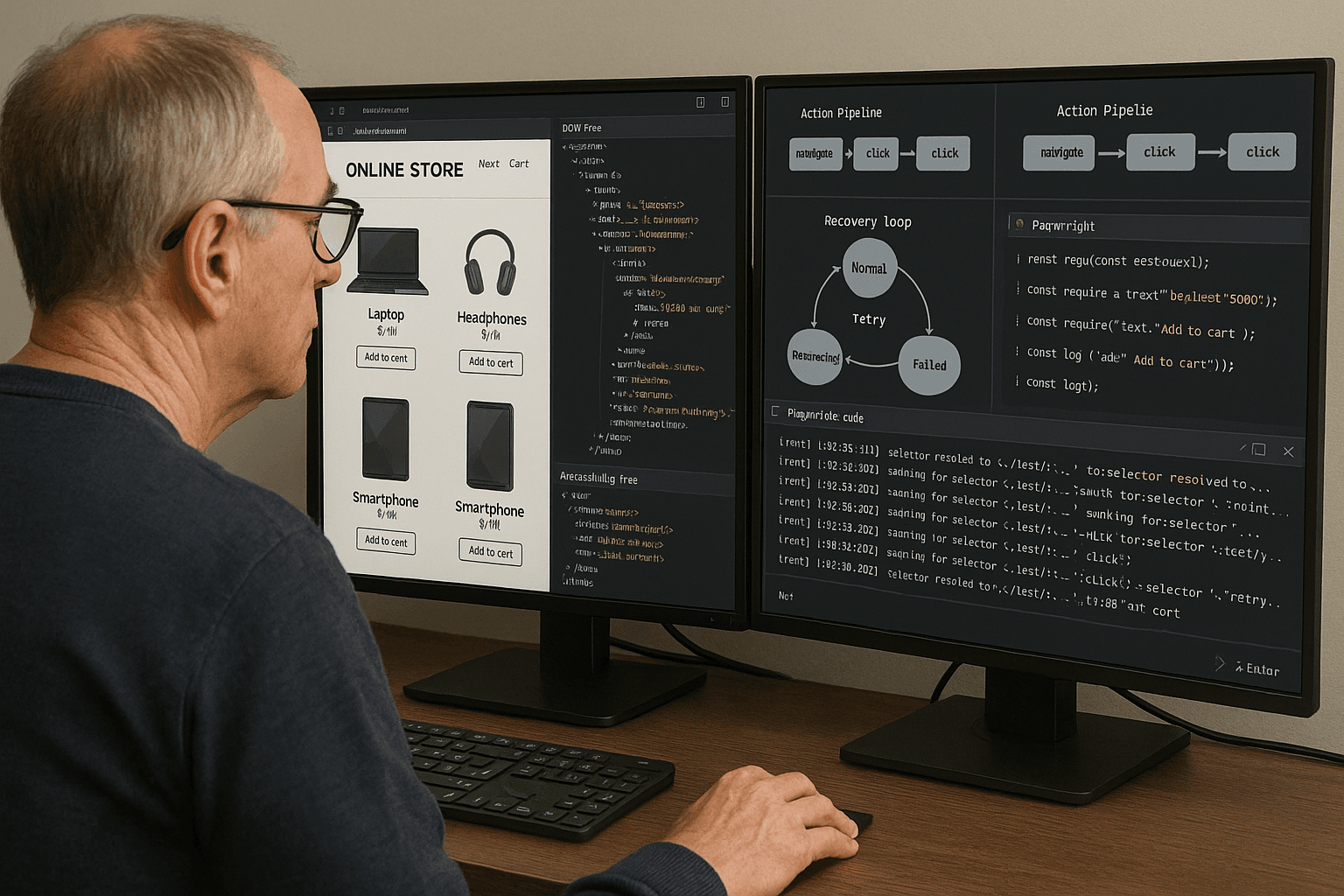
The failure usually doesn’t look dramatic in logs. It looks like a successful click.
A browser agent running a retail checkout flow finds a button labeled “Continue,” clicks it, gets a 200 OK on a background request, and then just sits there until the step timeout expires. The screenshot after the click looks almost identical to the screenshot before the click. The trace shows no JavaScript exception. The DOM still contains the button, and the action engine marks the click as completed.
In production, this kind of failure is far more common than the obvious ones.
The root problem is that most browser agents are nondeterministic in places where product teams assume determinism. They assume a target is stable because it was visible once. They assume a click succeeded because the automation framework emitted no error. They assume the page state changed because a request happened. They assume replayed selectors from a successful run will keep working tomorrow. Those assumptions break quickly on modern websites where rendering is asynchronous, accessibility layers are inconsistent, frontends recycle DOM nodes, overlays intercept pointer events, and headless execution diverges from headed execution in subtle but important ways.
If you want browser agents to reliably complete multi-step tasks like shopping, booking, onboarding, or data extraction, you need to stop thinking of automation as “find element and click.” A production-grade agent is closer to a transactional system. It needs state modeling, target scoring, action preconditions, post-action validation, recovery paths, and evidence collection strong enough to explain why a step was considered complete.
This article is about building that system.
I’ll focus on deterministic execution rather than open-ended autonomy: using DOM-aware planning, action validation, and recovery loops to make browser agents behave predictably under production conditions. I’ll also cover how to generate training and evaluation data from human demonstrations and replay logs, because most teams eventually realize that prompting alone doesn’t fix flaky action selection.
A real production failure: the button was real, the click was real, the action was not
Consider a booking flow with this simplified page structure:
html<div id="checkout-root">
  <section aria-label="Traveler details">
    <form>
      <input name="firstName" />
      <input name="lastName" />
      <button type="button" class="primary">Continue</button>
    </form>
  </section>

  <div class="sticky-footer">
    <button type="button" class="primary">Continue</button>
  </div>

  <div class="loading-mask hidden"></div>
</div>
The visible UI includes both an in-form “Continue” button and a sticky footer “Continue” button. On desktop they are synchronized. On narrower layouts, the sticky button becomes the actionable control and the in-form button remains visible but is no longer wired to the current validation path.
A naive agent uses one of these targeting strategies:
- first button whose text contains
Continue - highest z-index visible button
- XPath based on the container seen in a prior run
- LLM-chosen target from raw HTML
All of those can fail.
Here is the kind of Playwright log you see:
text[step=7] goal=submit_traveler_details
[locate] candidates=4 query="button:has-text('Continue')"
[action] click selector=button.primary nth=0
[action] success click emitted
[post] waited_for=networkidle timeout=5000ms
[post] screenshot_diff=0.8%
[post] url_unchanged=true
[post] required_field_errors=2
[post] step_result=timeout waiting for state transition
Nothing “failed” at the browser API level. But the business action failed.
This is the distinction that matters in browser agents:
- interaction success: the browser automation library delivered the intended low-level event
- state transition success: the application moved to the expected next state
Most flaky systems only measure the first.
Root cause: ambiguous targets plus weak state semantics
The root cause of unreliable browser agents is usually a combination of four issues.
1. The target representation is too shallow
Raw HTML or screenshots alone are not enough. HTML gives structural detail but misses rendered visibility, computed interactivity, and user-perceived grouping. Screenshots show layout but not semantic relationships. Accessibility trees help with names and roles but can be incomplete or stale on some frameworks.
A robust agent target should be defined using a fused representation:
- DOM node identity and ancestry
- accessibility role and accessible name
- visual bounding box and occlusion status
- nearby labels, headings, and container semantics
- inferred actionability state: visible, enabled, stable, editable, selected
2. The planner confuses label matching with intent resolution
“Click Continue” is not the same as “activate the control that advances the traveler details form after validation passes.” Intent resolution requires context: which region, which form, which step of the funnel, what errors are present, and what transition should happen.
3. The executor lacks transactional checks
Before acting, it should verify preconditions. After acting, it should validate observable outcomes. If no state transition occurred, it must branch into recovery rather than blindly retry the same event.
4. The system tracks too little state across steps
Production flows require memory of:
- current task stage
- fields already attempted
- validation errors seen
- navigation history
- modal interruptions
- per-site selector reliability
- element fingerprints for stale element recovery
Without that, recovery loops become random walks.
Why naive approaches fail
Teams usually start with one of three strategies.
Strategy 1: Pure selector automation
This is the classic scripted approach: define CSS/XPath selectors and hardcode the flow.
It works until any of the following happens:
- class names are regenerated
- DOM nesting changes
- A/B variants reorder controls
- sticky mobile controls duplicate visible actions
- iframes or shadow DOM are introduced
- localized text changes accessible names
Selectors are still necessary, but selector-only systems encode assumptions too early and too rigidly.
Strategy 2: Screenshot-first agents
Vision-heavy agents can pick visually obvious elements, but they often struggle with:
- offscreen elements
- hidden overlays intercepting events
- labels detached from inputs in responsive layouts
- precise text entry into the correct field among visually similar fields
- post-action validation when visible change is minimal
Screenshots are evidence, not sufficient state.
Strategy 3: Raw-HTML LLM planning
Feeding the page HTML to a model and asking what to click sounds appealing, but raw HTML contains too much irrelevant detail and too little runtime truth. Hidden templates, duplicate nodes, stale SSR markup, feature flags, and detached nodes all pollute the context. The model may choose nodes that exist in source but are not actionable in the rendered page.
The failure mode is especially bad when the chosen action is semantically plausible but operationally wrong. That produces silent failures that are harder to detect than exceptions.
The architecture that works better
A deterministic browser agent should separate the problem into explicit layers:
- Page state extraction
- Target candidate generation
- Intent-conditioned target ranking
- Action planning with preconditions
- Execution with instrumentation
- Post-action validation
- Recovery loop and replanning
- State persistence and evaluation logging
A useful mental model is a small transaction engine running inside the browser session.
State model
At minimum, define these entities:
pythonfrom dataclasses import dataclass, field
from typing import Optional, List, Dict, Any

@dataclass
class ElementFingerprint:
    tag: str
    role: Optional[str]
    name: Optional[str]
    text: Optional[str]
    dom_path: List[str]
    attributes: Dict[str, str]
    bbox: Dict[str, float]
    nearby_labels: List[str] = field(default_factory=list)

@dataclass
class AgentStep:
    step_id: str
    intent: str
    target_hint: Optional[str]
    expected_outcomes: List[str]
    retries: int = 0

@dataclass
class PageSnapshot:
    url: str
    title: str
    dom_hash: str
    screenshot_path: str
    elements: List[ElementFingerprint]
    forms: List[Dict[str, Any]]
    modals: List[Dict[str, Any]]
    errors: List[str]

@dataclass
class ExecutionState:
    task_id: str
    current_step: AgentStep
    page: PageSnapshot
    history: List[Dict[str, Any]] = field(default_factory=list)
    seen_validation_errors: List[str] = field(default_factory=list)
    site_profile: Dict[str, Any] = field(default_factory=dict)
This is not glamorous, but it’s where reliability comes from. The agent needs structured memory, not just prompt context.
Building a DOM-aware page model
The page model should combine DOM, accessibility, and visual facts. Playwright gives you enough primitives to build this.
Extract interactive elements with browser-side inspection
In practice, I recommend injecting a browser-side collector that walks the DOM and returns compact action-oriented metadata.
javascriptfunction collectInteractiveElements() {
  const isVisible = (el) => {
    const style = window.getComputedStyle(el);
    if (style.visibility === 'hidden' || style.display === 'none') return false;
    const rect = el.getBoundingClientRect();
    return rect.width > 0 && rect.height > 0;
  };

  const roleOf = (el) => {
    const explicit = el.getAttribute('role');
    if (explicit) return explicit;
    const tag = el.tagName.toLowerCase();
    if (tag === 'button') return 'button';
    if (tag === 'a' && el.href) return 'link';
    if (tag === 'input') {
      const type = (el.getAttribute('type') || 'text').toLowerCase();
      if (['submit', 'button'].includes(type)) return 'button';
      if (['checkbox'].includes(type)) return 'checkbox';
      if (['radio'].includes(type)) return 'radio';
      return 'textbox';
    }
    if (tag === 'select') return 'combobox';
    if (tag === 'textarea') return 'textbox';
    return null;
  };

  const accessibleName = (el) => {
    const aria = el.getAttribute('aria-label');
    if (aria) return aria.trim();
    const labelledBy = el.getAttribute('aria-labelledby');
    if (labelledBy) {
      const text = labelledBy
        .split(/\s+/)
        .map(id => document.getElementById(id)?.innerText || '')
        .join(' ')
        .trim();
      if (text) return text;
    }
    if (el.labels && el.labels.length) {
      const labelText = Array.from(el.labels).map(l => l.innerText).join(' ').trim();
      if (labelText) return labelText;
    }
    return (el.innerText || el.value || el.getAttribute('placeholder') || '').trim();
  };

  const interactiveSelector = [
    'button',
    'a[href]',
    'input',
    'select',
    'textarea',
    '[role="button"]',
    '[role="link"]',
    '[role="textbox"]',
    '[role="checkbox"]',
    '[role="radio"]',
    '[tabindex]'
  ].join(',');

  const nodes = Array.from(document.querySelectorAll(interactiveSelector));

  return nodes
    .filter(isVisible)
    .map((el, index) => {
      const rect = el.getBoundingClientRect();
      return {
        uid: `el_${index}`,
        tag: el.tagName.toLowerCase(),
        role: roleOf(el),
        name: accessibleName(el),
        text: (el.innerText || '').trim().slice(0, 200),
        id: el.id || null,
        classes: Array.from(el.classList).slice(0, 6),
        disabled: el.disabled || el.getAttribute('aria-disabled') === 'true',
        checked: el.checked ?? null,
        href: el.getAttribute('href'),
        type: el.getAttribute('type'),
        bbox: {
          x: rect.x,
          y: rect.y,
          width: rect.width,
          height: rect.height,
        },
        xpathHint: (() => {
          const parts = [];
          let node = el;
          while (node && node.nodeType === Node.ELEMENT_NODE && parts.length < 6) {
            let part = node.tagName.toLowerCase();
            if (node.id) {
              part += `#${node.id}`;
              parts.unshift(part);
              break;
            }
            const cls = Array.from(node.classList).slice(0, 2).join('.');
            if (cls) part += `.${cls}`;
            parts.unshift(part);
            node = node.parentElement;
          }
          return parts.join(' > ');
        })(),
      };
    });
}
From Playwright:
pythonelements = await page.evaluate("collectInteractiveElements()")
This collection step should be cheap enough to run before every major action and after every meaningful state change.
Add accessibility tree data
Playwright can expose an accessibility snapshot. It is not perfect, but it is very useful for de-duplicating semantically equivalent targets and identifying user-facing names.
pythonax_tree = await page.accessibility.snapshot()
In practice, I flatten the tree into records like:
pythondef flatten_ax(node, out=None, path=None):
    out = out or []
    path = path or []
    if not node:
        return out
    out.append({
        "role": node.get("role"),
        "name": node.get("name"),
        "value": node.get("value"),
        "path": path[:],
    })
    for i, child in enumerate(node.get("children", []) or []):
        flatten_ax(child, out, path + [i])
    return out
The key is not to trust any single representation. Use AX names to improve ranking, not as the sole source of truth.
Add visual and occlusion checks
A visible element is not always clickable. Overlays, sticky headers, cookie banners, and loading masks often intercept pointer events.
This browser-side helper catches many of those cases:
javascriptfunction actionabilityProbe(selector) {
  const el = document.querySelector(selector);
  if (!el) return { ok: false, reason: 'not_found' };
  const rect = el.getBoundingClientRect();
  const cx = rect.left + rect.width / 2;
  const cy = rect.top + rect.height / 2;
  const topEl = document.elementFromPoint(cx, cy);
  const visible = rect.width > 0 && rect.height > 0;
  const enabled = !el.disabled && el.getAttribute('aria-disabled') !== 'true';
  const unobstructed = topEl === el || el.contains(topEl);
  return {
    ok: visible && enabled && unobstructed,
    visible,
    enabled,
    unobstructed,
    topTag: topEl?.tagName?.toLowerCase() || null,
    topClass: topEl?.className || null,
  };
}
This is far more useful than “element exists.”
Stable target selection: treat it as ranking, not exact match
The agent should generate multiple candidate targets and score them against the current intent.
For a step like “continue from traveler details,” candidate scoring can combine:
- text/name similarity to “continue”
- role match (
button,link) - same form/section as relevant inputs
- proximity to validation messages or form container
- enabled state
- unobstructed status
- historical reliability for this site/flow
- whether activating it previously led to the expected state transition
Here is a simple scoring example in Python:
pythonfrom rapidfuzz import fuzz

def score_candidate(candidate, intent, context):
    score = 0
    name = (candidate.get("name") or candidate.get("text") or "").lower()
    role = candidate.get("role")

    score += fuzz.partial_ratio(name, intent.lower()) * 0.3

    if role == "button":
        score += 20

    if candidate.get("disabled"):
        score -= 50

    if context.get("required_container") and context["required_container"] in (candidate.get("xpathHint") or ""):
        score += 25

    if candidate.get("unobstructed"):
        score += 15

    reliability = context.get("site_selector_reliability", {}).get(candidate.get("xpathHint"), 0)
    score += reliability * 10

    return score
The production lesson here is important: selector resolution should produce a ranked list with evidence, not a single brittle answer.
Precondition checks: never execute blind
Before every action, run precondition checks specific to the action type.
For click actions
Check:
- element still exists
- visible within viewport or can be scrolled into view
- enabled
- not covered
- no loading mask active
- page not mid-navigation
For text entry
Check:
- field is editable
- field has focus after click/focus event
- input method events are accepted
- any masking or formatting script has attached
- existing value handling is defined (append vs replace)
For select/combo interactions
Check:
- native select vs custom component
- whether options render in portal/outside container
- whether typing triggers async search
Example Playwright wrapper:
pythonasync def safe_click(page, locator, expected=None, timeout=5000):
    await locator.scroll_into_view_if_needed()
    await locator.wait_for(state="visible", timeout=timeout)
    await locator.wait_for(state="attached", timeout=timeout)

    before_url = page.url
    before_title = await page.title()

    box = await locator.bounding_box()
    if not box:
        raise RuntimeError("click_precondition_failed: no_bounding_box")

    await locator.click(timeout=timeout)

    return {
        "before_url": before_url,
        "before_title": before_title,
        "clicked_box": box,
        "expected": expected or [],
    }
That’s still incomplete without post-action validation, but it’s better than raw click().
Post-action validation: define what success means
Every action should have explicit expected outcomes.
For example, after clicking a checkout “Continue” button, acceptable outcomes might be:
- URL changed to
/payment - heading changed to “Payment”
- a payment form appears
- form validation errors appear and block progression
The last case matters. Validation errors are not necessarily execution failures. They may be valid state transitions that should hand control back to the planner.
Here is a validation function pattern:
pythonasync def validate_outcomes(page, expected_outcomes, timeout=5000):
    observed = []
    start = page.url

    try:
        await page.wait_for_load_state("domcontentloaded", timeout=1500)
    except Exception:
        pass

    if any(o.startswith("url_contains:") for o in expected_outcomes):
        for o in expected_outcomes:
            if o.startswith("url_contains:"):
                needle = o.split(":", 1)[1]
                if needle in page.url:
                    observed.append(o)

    if any(o.startswith("heading:") for o in expected_outcomes):
        headings = await page.locator("h1, h2, [role='heading']").all_inner_texts()
        joined = " | ".join(headings)
        for o in expected_outcomes:
            if o.startswith("heading:"):
                needle = o.split(":", 1)[1].lower()
                if needle in joined.lower():
                    observed.append(o)

    errors = await page.locator("[aria-invalid='true'], .error, [role='alert']").all_inner_texts()
    if errors:
        observed.append("validation_error_present")

    return {
        "success": len(observed) > 0,
        "observed": observed,
        "url_changed": page.url != start,
        "errors": errors,
    }
The key production practice is to define business-complete success per step, not generic browser success.
Action pipeline design
A good execution loop looks something like this:
pythonasync def execute_step(page, planner, state):
    step = state.current_step

    snapshot = await planner.capture_snapshot(page)
    candidates = planner.generate_candidates(snapshot, step)
    ranked = planner.rank_candidates(candidates, step, state)

    last_error = None

    for candidate in ranked[:5]:
        try:
            locator = planner.resolve_locator(page, candidate)
            planner.check_preconditions(candidate, snapshot, step)

            action_meta = await planner.perform_action(page, locator, step)
            validation = await validate_outcomes(page, step.expected_outcomes)

            state.history.append({
                "step_id": step.step_id,
                "candidate": candidate,
                "action_meta": action_meta,
                "validation": validation,
            })

            if validation["success"]:
                return validation

            recovered = await planner.attempt_recovery(page, state, validation)
            if recovered:
                return recovered

        except Exception as e:
            last_error = str(e)
            state.history.append({
                "step_id": step.step_id,
                "candidate": candidate,
                "error": last_error,
            })

    raise RuntimeError(f"step_failed: {step.step_id} last_error={last_error}")
This is intentionally explicit. When systems get flaky, you want logs that answer:
- which candidates were considered?
- why was one chosen?
- were preconditions met?
- what exact event was sent?
- what outcome was observed?
- what recovery branch ran?
Generating training data from human demonstrations and replay logs
If you are using an ML model to rank targets, choose actions, or predict recovery strategies, the best data usually comes from two sources:
- human demonstrations
- replay telemetry from automated runs
Human demonstrations
Instrument a browser session and record:
- DOM snapshots before each action
- accessibility snapshot
- screenshot
- viewport size and user agent
- action type, coordinates, target element fingerprint
- keypress sequence for text entry
- resulting DOM delta and navigation events
From these demonstrations, derive supervised examples like:
- given current page state and intent, rank the acted-on element highest
- given current field and value, generate the correct entry operation
- given post-click state, classify outcome: success, validation_error, no_effect, blocked_modal, navigation_change
A practical schema:
json{
  "task_id": "booking_1842",
  "step_id": "traveler_continue",
  "intent": "continue from traveler details",
  "page_url": "https://site.example/checkout/travelers",
  "viewport": {"width": 1440, "height": 900},
  "elements": [{"uid": "el_17", "role": "button", "name": "Continue"}],
  "chosen_uid": "el_17",
  "action": {"type": "click"},
  "outcome": {"class": "success", "url": "/payment"}
}
Replay logs
Replay data is just as valuable because it captures failure distributions humans don’t create intentionally.
Log every automated step with:
- candidate list and scores
- final chosen target
- locator actually used
- actionability probe result
- browser events observed
- validation results
- recovery strategy triggered
- final step classification
This data helps train or tune:
- candidate ranking
- retry budgets
- site-specific selector priors
- modal detection heuristics
- timeout policies
Replay logs are especially good for hard negative examples: elements that looked correct but led to no state transition.
Headless-specific issues you need to engineer around
Headless runs behave differently. If you ignore that, your evaluation results will lie to you.
Rendering drift
Layout can shift between headed and headless due to fonts, GPU differences, viewport defaults, animation timing, and reduced compositor behavior.
Mitigations:
- pin viewport size
- pin browser version
- install deterministic fonts in the runtime image
- disable or reduce animations when possible
- compare bounding-box distributions between environments
Example:
pythonbrowser = await playwright.chromium.launch(
    headless=True,
    args=[
        "--disable-blink-features=AutomationControlled",
        "--font-render-hinting=none",
    ],
)
context = await browser.new_context(
    viewport={"width": 1440, "height": 900},
    locale="en-US",
    timezone_id="America/New_York",
)
Timing and async hydration
Modern apps often render a visible control before event handlers are attached. A click can land during hydration and do nothing.
Naive fix: add sleep(2).
Better fix:
- wait for element to be actionable, not merely visible
- detect framework idle signals where available
- retry only after proving no state transition occurred
You can often detect hydration races by logging whether the same click works after a short delay without any page changes in between.
Anti-bot friction
This isn’t only CAPTCHAs. Common friction includes:
- hidden honeypot inputs
- stricter rate limits in headless
- challenge pages on suspicious navigation sequences
- blocked clipboard/paste paths
- form submission rejected without full user event chain
Mitigations are contextual and policy-sensitive, but technically you should:
- model challenge detection as a first-class state
- distinguish between site failure and anti-bot gating
- collect screenshots, DOM markers, and response patterns for challenge pages
Missing user events
Some sites require a richer event sequence than fill() or synthetic value assignment.
For masked inputs, date pickers, and certain React/Vue controlled components, success may require:
- focus
- click
- keydown/keypress/input/change/blur sequence
- tab navigation to trigger validators
Example for more human-like controlled input handling:
pythonasync def enter_text_like_user(locator, value):
    await locator.click()
    await locator.press("Control+A")
    await locator.press("Backspace")
    for ch in value:
        await locator.type(ch, delay=35)
    await locator.blur()
This is slower than fill(), but often more reliable for high-friction forms.
Recovery loops: the difference between resilient and flaky systems
Recovery should be explicit and categorized. Don’t just “retry three times.”
A useful recovery taxonomy:
- stale target
- occluded target
- unexpected modal
- navigation divergence
- partial form failure
- anti-bot/challenge state
- no-effect action
1. Stale element recovery
DOM frameworks frequently rerender nodes, invalidating prior handles.
Symptoms:
- detached element errors
- click succeeds on an outdated node reference
- post-action checks show unchanged state
Recovery:
- reacquire from current snapshot using fingerprint similarity
- prefer semantic re-resolution over handle reuse
pythonasync def reacquire_by_fingerprint(page, fp):
    candidates = page.locator(fp["tag"])
    count = await candidates.count()
    best = None
    best_score = -1
    for i in range(count):
        loc = candidates.nth(i)
        text = (await loc.inner_text() or "").strip() if await loc.is_visible() else ""
        score = 0
        if fp.get("name") and fp["name"].lower() in text.lower():
            score += 20
        if score > best_score:
            best = loc
            best_score = score
    return best
2. Unexpected modal handling
Cookie banners, sign-in prompts, promo popups, and location dialogs derail agents constantly.
Treat modal detection as part of every precondition check.
pythonasync def dismiss_known_interruptions(page):
    modal_selectors = [
        "[role='dialog']",
        ".modal",
        ".cookie-banner",
        "#onetrust-banner-sdk",
    ]
    for sel in modal_selectors:
        count = await page.locator(sel).count()
        if count == 0:
            continue
        for label in ["Accept", "Close", "Not now", "Dismiss", "Continue without"]:
            btn = page.get_by_role("button", name=label)
            try:
                if await btn.count() > 0:
                    await btn.first.click(timeout=1000)
                    return True
            except Exception:
                pass
    return False
This should be paired with site-specific handlers because generic modal logic only gets you part of the way.
3. Navigation divergence
Sometimes the click works but lands on the wrong route, login wall, or upsell page.
Recovery requires route classification, not generic retry.
Maintain a small page classifier using URL patterns, headings, and key DOM markers.
pythondef classify_page(url, headings, body_text):
    if "login" in url or "sign in" in body_text.lower():
        return "login_gate"
    if "captcha" in url or "verify you are human" in body_text.lower():
        return "challenge"
    if any("payment" in h.lower() for h in headings):
        return "payment"
    return "unknown"
If the classifier says login_gate, don’t retry the click that got you there. Branch the plan.
4. Partial form failures
A common production case: several fields were accepted, one failed validation, and the step didn’t advance.
The wrong response is to refill everything or restart the page.
Better response:
- parse visible validation errors
- map errors to fields
- update only affected fields
- preserve accepted values
pythonasync def collect_field_errors(page):
    errors = []
    alerts = page.locator("[role='alert'], .error-message, .field-error")
    for i in range(await alerts.count()):
        text = await alerts.nth(i).inner_text()
        errors.append(text.strip())
    return errors
Then map error strings to labels/inputs using container proximity.
Selector design tradeoffs
There is no universally stable selector strategy. You need layered fallbacks.
Priority order I recommend
- explicit test IDs if you control the site
- accessible role + accessible name
- label-to-input relationships
- stable semantic attributes (
name,type,autocomplete) - container-constrained text selectors
- structural CSS/XPath only as a last resort
Why not just use text selectors everywhere?
Because text is duplicated, localized, and context dependent. “Continue,” “Apply,” “Save,” and “Select” appear everywhere.
Why not just use XPath from replay?
Because replayed structure tends to be brittle across redesigns and experiments. XPath is useful as one fingerprint signal, not as canonical identity.
A better pattern: store selector bundles
Instead of one selector, persist a bundle:
json{
  "role_name": {"role": "button", "name": "Continue"},
  "css": "button.primary",
  "container": "section[aria-label='Traveler details']",
  "attributes": {"type": "button"},
  "text": "Continue"
}
At runtime, resolve through the bundle and score the matches.
State tracking tradeoffs
A deterministic agent needs enough state to recover, but too much state can make behavior opaque and expensive.
Track these consistently:
- current canonical page class
- current task step and expected outcomes
- last successful action target fingerprint
- known interruptions handled
- field values already submitted
- validation errors seen and resolved
- per-domain timing profile
- retry counters by failure category
Avoid storing arbitrary full prompts as your source of truth. Store structured state and derive prompts from it if needed.
Evaluation metrics that reflect real production reliability
Success rate alone is misleading.
A browser agent that succeeds 80% of tasks but silently mis-clicks for 20 seconds before failing is operationally much worse than one that fails fast and classifies the issue correctly.
Measure at least:
- task completion rate
- step completion rate
- state transition precision: fraction of actions considered successful that truly advanced or correctly changed state
- target selection precision@k
- mean recovery depth: how many recovery branches before success/failure
- time to completion
- unexpected navigation rate
- modal interruption recovery rate
- partial form repair success rate
- headless vs headed parity
For extraction pipelines, also measure:
- field-level accuracy
- duplicate extraction rate
- pagination continuity
- stale content rate after navigation
For shopping/booking:
- cart consistency after each step
- price drift detection
- inventory/availability revalidation rate
- confirmation page precision
Practical Playwright patterns for production
A few patterns consistently help.
Use locator APIs, but do not outsource reasoning to them
Playwright locators are excellent for execution robustness, but you still need your own target ranking and validation logic.
pythonbutton = page.get_by_role("button", name="Continue")
await button.click()
This is good execution syntax, not a complete action policy.
Capture evidence on every failure branch
pythonimport time

async def capture_debug_bundle(page, prefix="failure"):
    ts = int(time.time() * 1000)
    screenshot = f"artifacts/{prefix}_{ts}.png"
    html = f"artifacts/{prefix}_{ts}.html"
    await page.screenshot(path=screenshot, full_page=True)
    content = await page.content()
    with open(html, "w", encoding="utf-8") as f:
        f.write(content)
    return {"screenshot": screenshot, "html": html}
When debugging flaky agents, screenshots without HTML or HTML without screenshots are often insufficient. Save both.
Distinguish timeout classes
A timeout waiting for selector visibility is not the same as a timeout waiting for state transition after action.
Log them differently:
texterror_class=target_not_visible
error_class=post_action_no_state_change
error_class=navigation_diverged
error_class=modal_blocking
error_class=challenge_detected
This classification is essential for prioritizing engineering work.
Putting it together: a deterministic step executor
Here is a condensed example tying the pieces together.
pythonclass DeterministicAgent:
    def __init__(self, planner):
        self.planner = planner

    async def run_step(self, page, state):
        snapshot = await self.planner.capture_snapshot(page)

        if await dismiss_known_interruptions(page):
            snapshot = await self.planner.capture_snapshot(page)

        candidates = self.planner.generate_candidates(snapshot, state.current_step)
        ranked = self.planner.rank_candidates(candidates, state.current_step, state)

        for candidate in ranked[:5]:
            try:
                locator = self.planner.resolve_locator(page, candidate)
                pre = await self.planner.probe_actionability(page, candidate)
                if not pre["ok"]:
                    continue

                await self.planner.perform(page, locator, state.current_step)
                result = await validate_outcomes(page, state.current_step.expected_outcomes)

                if result["success"]:
                    return {"status": "success", "result": result}

                field_errors = await collect_field_errors(page)
                if field_errors:
                    return {"status": "needs_repair", "errors": field_errors}

                page_text = await page.locator("body").inner_text()
                headings = await page.locator("h1, h2, [role='heading']").all_inner_texts()
                page_class = classify_page(page.url, headings, page_text)
                if page_class != "unknown":
                    return {"status": "branch", "page_class": page_class}

            except Exception as e:
                await capture_debug_bundle(page, prefix="step_error")
                state.history.append({"candidate": candidate, "error": str(e)})

        return {"status": "failed"}
This isn’t everything you need, but it demonstrates the core design principle: the agent decides success based on validated state, not on whether the low-level action API returned normally.
Production considerations for shopping, booking, and extraction systems
Shopping flows
Key issues:
- variant selection changes DOM structure
- price and stock mutate asynchronously
- upsell modals appear between steps
- cart pages include multiple semantically similar CTAs
Focus on:
- cart state verification after each mutation
- SKU/variant identity tracking
- explicit quantity validation
- confirmation that add-to-cart actually changed cart count or line items
Booking flows
Key issues:
- heavily dynamic forms
- date pickers and passenger selectors as custom widgets
- session expiration mid-flow
- duplicated continue/next controls for responsive layouts
Focus on:
- field-level validation parsing
- widget-specific action adapters
- page classification for each funnel stage
- route and heading-based transition validation
Data extraction flows
Key issues:
- lazy-loaded lists
- stale content after filter changes
- pagination controls that rerender in place
- rate limiting and challenge pages
Focus on:
- content freshness checks after filters
- duplicate detection across pages
- extraction schema validation
- challenge-state detection before blaming selectors
Takeaways
Reliable browser agents are not built by making one selector smarter or one prompt longer. They get better when you move from optimistic interaction to verified state transitions.
The engineering pattern that holds up in production is straightforward:
- build a fused page model from DOM, accessibility, and visual/actionability cues
- generate multiple candidates and rank them against intent and context
- run action-specific precondition checks
- define post-action success in terms of expected state transitions
- classify failures by category, not just exception type
- implement explicit recovery loops for stale elements, modals, navigation changes, and partial form failures
- log enough evidence to train better rankers and debug silent failures
- evaluate with metrics that reflect business correctness, not just whether
click()returned
If you do those things, your browser agent becomes much more deterministic, and determinism is what lets you operate these systems at production scale.
That doesn’t eliminate uncertainty. Websites still change, headless behavior still drifts, and anti-bot systems still interfere. But with DOM-aware planning, action validation, and recovery loops, failures become explainable, bounded, and fixable. That’s the difference between a demo agent and an operational one.