
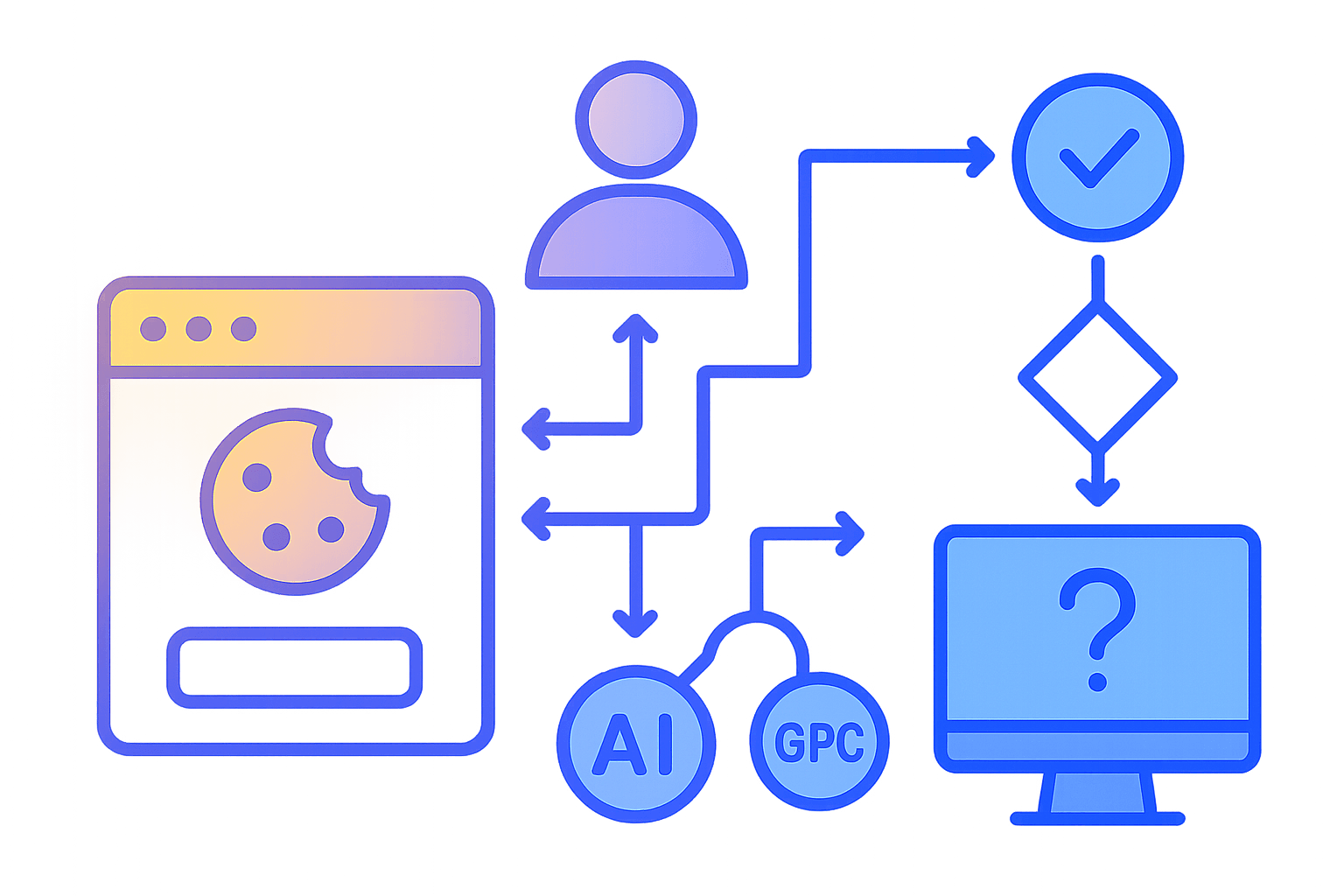
Cookie Banners for Agentic Browsers: GDPR/CPRA‑Safe Auto‑Agent AI Pipelines with TCF v2.2 and GPC
Agentic browsers and auto‑agents are rapidly becoming a staple of developer workflows: they triage tickets, research docs, collect datasets, even fill forms and complete purchase flows. Once you let an agent browse the public web, however, you cross into regulated territory. GDPR and ePrivacy (EU/EEA), CPRA/CCPA (California), and a growing list of state privacy laws place obligations on how tracking, cookies, and data sharing are handled.
If your agent "auto‑accepts" banners or silently ignores them, you may create legal and security risk. The right approach is to integrate with established consent signaling protocols (IAB TCF v2.2, IAB GPP, legacy US Privacy), honor the Global Privacy Control (GPC), persist user choices per origin, and validate your behavior against privacy test pages. This article lays out a practical, opinionated blueprint for building a compliant consent layer into auto‑agent browsing pipelines.
Key takeaways:
- Detect and integrate with CMPs via the standard APIs:
__tcfapi(TCF v2.2),__gpp(IAB GPP for US states), and__uspapi(legacy CCPA/CPRA). - Parse TCF v2.2 consent strings to decide, per vendor and purpose, which scripts/resources may run.
- Honor GPC and Do Not Sell/Share (CPRA) signals at the network layer (HTTP headers) and the DOM layer.
- Persist per‑origin consent decisions and enforce them deterministically; do not auto‑accept.
- Validate your agent with privacy test pages and observable network behavior; keep an audit trail.
- Reduce browser‑agent attack surface while handling CMP UIs and third‑party scripts safely.
1) Regulatory and spec primers (fast, but sufficient)
- GDPR + ePrivacy: Cookies and similar identifiers require consent unless strictly necessary. Advertising personalization, cross‑site measurement, and many analytics flows need consent in EEA. Legitimate interest is restricted for several purposes in TCF v2.2.
- CPRA/CCPA: Users can opt out of "sale" and "sharing" of personal information, including cross‑context behavioral advertising. This often maps to disabling third‑party trackers/RTB when opt‑out is enabled.
- Global Privacy Control (GPC): A browser‑level signal that communicates a user’s opt‑out preference. California regulators treat GPC as a valid opt‑out request.
- IAB TCF v2.2: The de‑facto transparency and consent framework in the EU. Websites use a CMP (Consent Management Platform) to provide a
TCStringdescribing user choices for purposes and vendors. v2.2 tightened legitimate interest usage and disclosure obligations, especially around personalization. - IAB GPP: A unified framework for privacy signals (US state modules, etc.). Newer US‑state regs may be encoded here. You should support it when present, but we’ll focus on TCF v2.2 + GPC which already cover a large surface area.
Your agent must not circumvent consent. It should either respect the site’s configured default state (often no personalized tracking until consent) or programmatically record user choices via the CMP or UI in a transparent way aligned with the user’s policy.
2) Architecture: a consent layer inside the agent runtime
Your auto‑browsing runtime should treat consent handling as a first‑class, pluggable module. A pragmatic architecture:
- CMP detector: discovers
__tcfapi,__gpp,__uspapiand their iframe/postMessage bridges per TCF policy. - Consent store: persists per‑origin (or eTLD+1) preferences, decoded TC strings, GPP/US Privacy strings, timestamps, and enforcement modes.
- Parser/decision engine: decodes TC strings (TCF v2.2), interprets GPP/US Privacy, and maps to enforcement.
- Network enforcer: blocks or strips requests to vendors/purposes lacking consent; injects GPC headers and DNT as configured.
- DOM enforcer: optionally removes or delays tracker scripts and restricts storage access until consent exists.
- UI agent: if necessary, interacts with CMP UI (accessible navigation, not brittle CSS selectors) to set explicit choices on the user’s behalf.
- Validator: runs privacy tests (GPC echo, CMP state, vendor calls) and captures audit logs.
- Security sandbox: runs pages with hardened policies to mitigate third‑party risks.
A simple flow:
- Open page with network interception already enabled and GPC header set if the user’s policy says so.
- Detect CMP and read its state (TCF or GPP). If none, enforce conservative defaults.
- If you have stored per‑origin choices, reconcile with CMP; otherwise, collect and set choices.
- Parse and enforce: block vendors/purposes without consent; allow strictly necessary operations.
- Persist results and record an audit log for the session.
3) Detecting CMPs reliably
Under TCF, CMPs must expose an API. Typical detection strategies:
- TCF v2.2:
window.__tcfapior an iframe named__tcfapiLocator; the API is callable via function or postMessage bridge. - IAB GPP:
window.__gppwithping/getGPPData/addEventListener. - US Privacy (legacy CCPA/CPRA):
window.__uspapiwithgetUSPData.
A robust detector in Playwright/Node (TypeScript):
tsimport { Page } from "@playwright/test";

export async function detectCMP(page: Page) {
  // Detect TCF v2.2
  const hasTCF = await page.evaluate(() => {
    if (typeof (window as any).__tcfapi === 'function') return true;
    // Look for the locator iframe (as per TCF spec)
    return !!document.querySelector('iframe[name="__tcfapiLocator"]');
  });

  // Detect GPP
  const hasGPP = await page.evaluate(() => typeof (window as any).__gpp === 'function');

  // Detect US Privacy
  const hasUSP = await page.evaluate(() => typeof (window as any).__uspapi === 'function');

  return { hasTCF, hasGPP, hasUSP };
}
To call the TCF API:
tsexport async function getTCFData(page: Page) {
  // Return `tcData` with policy version, consent string, and vendor/purpose details
  return await page.evaluate(async () => {
    return new Promise((resolve) => {
      const w = window as any;
      function callback(tcData: any, success: boolean) {
        resolve({ tcData, success });
      }
      if (typeof w.__tcfapi === 'function') {
        w.__tcfapi('getTCData', 2, callback);
      } else {
        resolve({ tcData: null, success: false });
      }
    });
  });
}
You can also use addEventListener to subscribe to consent changes and ping to learn if GDPR applies and whether the CMP is loaded.
For GPP:
tsexport async function getGPPData(page: Page) {
  return await page.evaluate(async () => {
    return new Promise((resolve) => {
      const w = window as any;
      function cb(res: any, success: boolean) { resolve({ res, success }); }
      if (typeof w.__gpp === 'function') {
        w.__gpp('getGPPData', cb);
      } else {
        resolve({ res: null, success: false });
      }
    });
  });
}
For US Privacy (legacy CCPA/CPRA):
tsexport async function getUSPData(page: Page) {
  return await page.evaluate(async () => {
    return new Promise((resolve) => {
      const w = window as any;
      function cb(data: any, success: boolean) { resolve({ data, success }); }
      if (typeof w.__uspapi === 'function') {
        w.__uspapi('getUSPData', 1, cb);
      } else {
        resolve({ data: null, success: false });
      }
    });
  });
}
Notes:
- Many sites lazy‑load CMPs. Wait for
domcontentloadedand re‑poll, or subscribe toaddEventListeneronce available. - Some CMPs only expose the postMessage API; using the locator iframe, you can post messages. In headless agent pipelines, prefer the function API when present for simplicity.
4) Parsing TCF v2.2 consent strings
The TCString is a compact bitfield that encodes:
- Top‑level metadata: policy version, CMP ID/version, whether GDPR applies.
- Publisher restrictions and stack info.
- Per‑purpose consent, legitimate interest flags (reduced scope in v2.2), and special features.
- Vendor consents and legitimate interests by vendor ID.
In Node/TypeScript, the canonical library is @iabtcf/core:
bashnpm i @iabtcf/core
tsimport { TCString, TCModel, GVL } from '@iabtcf/core';

// Optional: load the global vendor list (GVL) to decode vendor metadata
const gvl = new GVL(); // Will fetch the latest list by default

export async function decodeTCString(tcString: string) {
  const model = TCString.decode(tcString);
  // You can inspect purposes, vendors, etc.
  const gdprApplies = model.gdprApplies === true;
  const policyVersion = model.tcfPolicyVersion;
  const purposeConsents = [...model.purposeConsents];
  const vendorConsents = [...model.vendorConsents];

  return {
    gdprApplies,
    policyVersion,
    purposes: purposeConsents, // Set<number>
    vendors: vendorConsents,   // Set<number>
  };
}
Example: determine whether a given vendor ID and purpose have consent.
tstype ConsentDecision = {
  vendorId: number;
  purposeId: number; // 1..10 (TCF purposes)
  hasConsent: boolean;
};

export function hasVendorPurposeConsent(model: TCModel, vendorId: number, purposeId: number): ConsentDecision {
  const vendorConsent = model.vendorConsents.has(vendorId);
  const purposeConsent = model.purposeConsents.has(purposeId);

  // Some vendors rely on legitimate interest for certain purposes (reduced in v2.2)
  const liOK = model.purposeLegitimateInterests?.has?.(purposeId) && model.vendorLegitimateInterests?.has?.(vendorId);

  // v2.2 tightened LI for personalization; consult vendor GVL and site’s declared legal basis
  const hasConsent = vendorConsent && purposeConsent || !!liOK;

  return { vendorId, purposeId, hasConsent };
}
Operational guidance:
- If GDPR applies and you don’t have explicit consent for a vendor’s purpose, your agent should not load that vendor’s scripts or send their beacons. Many CMPs default to no consent until the user acts.
- Map vendor IDs to domains you see in network requests. Ideally, use the GVL to link
vendorId -> declared domainsandpurposes, so you can programmatically enforce blocking. - TCF has Special Purposes (e.g., security, fraud prevention) that do not require consent but must be disclosed. Do not block security‑critical endpoints that vendors list under Special Purposes; verify via GVL.
5) Honoring GPC and Do Not Sell/Share
GPC is a user preference signal. Your agent should:
- Send the
Sec-GPC: 1HTTP request header on all top‑level and subresource requests when the user’s global setting is enabled. - Expose
navigator.globalPrivacyControl = truein the DOM so client scripts see it. - When GPC is on, treat CPRA Do Not Sell/Share as opted‑out by default. If the site’s CMP reads GPC and updates the privacy string, great; otherwise you still must enforce opt‑out behavior.
In Playwright:
tsimport { chromium } from 'playwright';

const browser = await chromium.launch();
const context = await browser.newContext({
  extraHTTPHeaders: {
    'Sec-GPC': '1',
    // Optional: DNT for completeness; not legally equivalent to GPC
    'DNT': '1',
  },
});

// Make navigator.globalPrivacyControl appear true for page scripts
context.addInitScript(() => {
  try {
    Object.defineProperty(navigator, 'globalPrivacyControl', {
      get: () => true,
      configurable: true,
    });
  } catch {}
});
For US Privacy:
__uspapi('getUSPData', 1, cb)returns a string like1YNNor1YYY. Interpret according to the spec: the third char typically indicates opt‑out of sale; CPRA expanded to "sale or sharing" in practice.- IAB GPP can carry US state‑specific opt‑out flags (e.g., USCA for California). Use
__gpp('getGPPData')and readsectionListandapplicableSections.
Your agent should, at minimum, block known sale/sharing endpoints (adtech, cross‑context profiling, RTB) when GPC or US opt‑out is set, whether or not the site reads GPC.
6) Persisting per‑origin choices
A per‑origin consent store ensures your agent behaves consistently, avoids repeated banner interactions, and produces an audit trail.
Suggested schema (SQLite or a signed JSON store):
- origin: string (e.g., https://example.com)
- firstSeenAt, lastSeenAt: timestamps
- gdprApplies: boolean
- tcString: string (latest from CMP)
- tcPolicyVersion: number
- uspString: string (legacy US Privacy)
- gppString: string (IAB GPP)
- gpc: boolean (effective state for this origin)
- decisions: object
- purposes: map<purposeId, boolean>
- vendors: map<vendorId, boolean>
- enforcement: object
- blockedDomains: string[]
- allowedDomains: string[]
Example TypeScript store:
tstype ConsentRecord = {
  origin: string;
  firstSeenAt: string;
  lastSeenAt: string;
  gdprApplies?: boolean;
  tcString?: string;
  tcPolicyVersion?: number;
  uspString?: string;
  gppString?: string;
  gpc?: boolean;
  decisions?: {
    purposes?: Record<string, boolean>;
    vendors?: Record<string, boolean>;
  };
  enforcement?: {
    blockedDomains?: string[];
    allowedDomains?: string[];
  };
};
When revisiting an origin:
- Pre‑apply browser signals (GPC header, DNT if desired).
- If you previously recorded explicit user choices and a
tcString, reconcile by calling__tcfapi('getTCData')and comparing. If the site reset or changed CMP vendor lists, reopen UI and re‑apply preferences. - Do not silently upgrade from a reject state to accept; if a CMP update invalidates decisions, prompt or follow a default conservative policy until the agent obtains explicit direction.
Security considerations:
- Sign the consent store and encrypt at rest if it contains identifiers.
- Store minimal necessary data; do not log more than is needed for audit.
- Respect per‑profile boundaries if multiple users share an agent cluster.
7) Enforcing consent at the network and DOM layers
To actually honor consent, you must prevent disallowed processing:
- Network layer: before requests go out, decide whether to allow, block, or modify based on vendor/purpose. This is the most reliable enforcement point.
- DOM layer: prevent insertion of tracker scripts and calls to storage APIs until consent; inject Content Security Policy (CSP) where safe.
Playwright request interception example:
tsimport { Page } from 'playwright';

// Example mapping (in practice, load from GVL + your curated lists)
const vendorDomainMap: Record<number, RegExp[]> = {
  755: [/\.doubleclick\.net$/, /google-analytics\.com$/], // Example; verify vendor IDs!
};

export async function attachEnforcement(page: Page, modelOrNull: any) {
  await page.route('**/*', async (route) => {
    const url = route.request().url();

    // Enforce GPC: you might add headers here, but better at context level

    // If no consent model and GDPR applies, block known adtech by default
    if (!modelOrNull) {
      if (/doubleclick\.net|google-analytics\.com|adnxs\.com|facebook\.com\/tr|taboola\.com|criteo\.com/.test(url)) {
        return route.abort();
      }
      return route.continue();
    }

    const model = modelOrNull as any; // TCModel

    // Example: block Google (vendorId hypothetical) unless purposes 1 and 7 are consented
    const googleVendorId = 755; // Placeholder; verify via GVL
    const isGoogle = vendorDomainMap[googleVendorId]?.some((r) => r.test(url));

    if (isGoogle) {
      const p1 = model.purposeConsents.has(1) && model.vendorConsents.has(googleVendorId);
      const p7 = model.purposeConsents.has(7) && model.vendorConsents.has(googleVendorId);
      if (!(p1 && p7)) {
        return route.abort();
      }
    }

    return route.continue();
  });
}
Notes:
- This example is simplified. In reality, you need a richer mapping and to consult the vendor’s declared legal bases for each purpose via the GVL.
- Special Purposes (e.g., fraud prevention) should not be blocked when legitimately invoked. Use the GVL to distinguish domains and purposes.
- Some analytics may operate strictly necessary measurement in aggregate (first‑party, no sharing). Classify based on deployment and vendor statements; when in doubt, default to block until consent.
DOM layer enforcement ideas:
- Override
document.createElement('script')andappendChildto prevent insertion of scripts from blocked vendors until consent is established. - Freeze
localStorage/IndexedDBreads/writes pending consent for Purpose 1 (store and/or access information on a device). - Inject a CSP via a meta tag that limits script‑src to your allowed list, then relax post‑consent. Beware of breaking the site.
8) Choosing between UI interaction vs API calls
Ideal: Use the CMP API or provided UI programmatically in a way equivalent to a user click. Considerations:
- Many CMPs provide an API for reading state, not for setting. Some provide programmatic consent methods, but they often require explicit user interaction triggers. An agent acting on behalf of a user can perform those interactions.
- If you must use UI, prioritize accessibility selectors and clear button labels (e.g., aria‑labels "Reject all", "Confirm choices") to remain resilient against CSS class churn.
- Never auto‑accept all. Default to reject or least‑privilege until the user’s policy or task requires enabling specific purposes/vendors.
Sample UI flow in Playwright:
tsasync function rejectAllIfBannerVisible(page: Page) {
  const banner = page.locator('role=dialog[name=/consent|cookies/i]');
  if (await banner.isVisible({ timeout: 2000 }).catch(() => false)) {
    // Try a common reject selector variations
    const rejectButtons = [
      banner.getByRole('button', { name: /reject all|decline all|disagree/i }),
      banner.getByRole('button', { name: /reject/i }),
    ];
    for (const btn of rejectButtons) {
      if (await btn.isVisible().catch(() => false)) {
        await btn.click();
        return true;
      }
    }
    // If not found, open settings and uncheck categories
    const settings = banner.getByRole('button', { name: /manage|settings|preferences/i });
    if (await settings.isVisible().catch(() => false)) {
      await settings.click();
      // Toggle all off via common patterns
      const toggles = page.locator('[role="switch"], input[type="checkbox"]');
      const count = await toggles.count();
      for (let i = 0; i < count; i++) {
        const el = toggles.nth(i);
        const checked = await el.isChecked?.().catch(() => false);
        if (checked) await el.click();
      }
      const save = page.getByRole('button', { name: /save|confirm choices|apply/i });
      if (await save.isVisible().catch(() => false)) await save.click();
      return true;
    }
  }
  return false;
}
This is a fallback when the API doesn’t expose a setter. If the site properly reads GPC, this UI step may be unnecessary.
9) Validation: "what is my browser agent" checks
You need deterministic, automated validation to prove your agent does what it says.
Recommended checks:
- Global Privacy Control:
- Open https://globalprivacycontrol.org/ and verify it detects GPC = true.
- Use echo endpoints that display request headers to confirm
Sec-GPC: 1is present on navigations and XHR/fetch.
- Do Not Track (optional):
- Verify
navigator.doNotTrack === '1'if you choose to set it.
- Verify
- CMP state:
- On EEA pages with a known CMP, call
__tcfapi('getTCData')and loggdprApplies,eventStatus(tcloaded,useractioncomplete), and thetcString. - Decode and verify that vendor/purpose consents match your store and enforcement decisions.
- On EEA pages with a known CMP, call
- Network behavior:
- Ensure no requests to blocked vendor domains occur prior to consent.
- Validate that measurement beacons are suppressed until Purposes 1 and 7 (and applicable vendor consent) are true.
- US opt‑out:
- On US‑targeted sites, call
__uspapi('getUSPData')or__gpp('getGPPData')and verify the opt‑out fields.
- On US‑targeted sites, call
Playwright snippet for GPC header echo:
tsconst testPage = 'https://httpbin.org/headers';
const res = await page.goto(testPage);
const data = await res!.json();
console.log('Sec-GPC header =', data.headers['Sec-Gpc']); // Expect '1'
Add these checks to your CI for agent releases, and keep regression dashboards so that privacy behavior is observable.
10) Security hardening for browser agents
Consent code will necessarily touch third‑party UI and scripts. Minimize attack surface:
- Run agents in sandboxed, ephemeral browser contexts with site isolation.
- Disable dangerous features unless required by the task:
- Third‑party cookies off by default; only enable per origin if the task requires and consent allows.
- Service workers disabled unless testing PWA features.
- Block HTTP‑>HTTPS mixed content.
- Prefer Playwright/Chromium with:
--site-per-process,--disable-background-networking,--disable-sync,--disable-features=InterestFeedContentSuggestions, etc., as compatible with your use case.
- Script hardening:
- Early
addInitScriptto sealFunction.prototype.call/apply/bindor monitoreval/new Functionif you need visibility; beware of breakage. - Consider a CSP sandbox in a controlled proxy that strips disallowed third‑party script tags until consent.
- Early
- Rotate and partition user profiles to avoid cross‑origin leakage.
- Treat CMP UIs as untrusted: never evaluate arbitrary scripts from within the CMP frame context; interact via standard DOM APIs only.
Example Playwright context options:
tsconst context = await browser.newContext({
  javaScriptEnabled: true, // needed for CMPs
  ignoreHTTPSErrors: false,
  recordHar: { path: 'session.har', content: 'omit' },
  extraHTTPHeaders: { 'Sec-GPC': '1' },
  // Partitioned storage, default blocking third-party cookies in Chromium context
});
11) End‑to‑end example: TCF + GPC aware navigation
This sample stitches together detection, parsing, enforcement, and persistence. It omits error handling for brevity.
tsimport { chromium, Page } from 'playwright';
import { TCString as TCS, TCModel } from '@iabtcf/core';

async function run(url: string) {
  const browser = await chromium.launch();
  const context = await browser.newContext({ extraHTTPHeaders: { 'Sec-GPC': '1' } });

  // Expose navigator.globalPrivacyControl
  await context.addInitScript(() => {
    try { Object.defineProperty(navigator, 'globalPrivacyControl', { get: () => true }); } catch {}
  });

  const page = await context.newPage();

  // Attach enforcement early (no model yet)
  await page.route('**/*', (route) => {
    const url = route.request().url();
    if (/doubleclick\.net|adnxs\.com|facebook\.com\/tr/.test(url)) {
      return route.abort();
    }
    return route.continue();
  });

  await page.goto(url, { waitUntil: 'domcontentloaded' });

  // Try to detect TCF and get TCData
  const { tcData, success } = await getTCFData(page);
  let model: TCModel | null = null;

  if (success && tcData?.tcString) {
    model = TCS.decode(tcData.tcString);

    // Reattach stricter enforcement now that we know purposes/vendors
    await page.unroute('**/*');
    await attachEnforcement(page, model);
  } else {
    // Fallback: attempt banner rejection respecting UI
    await rejectAllIfBannerVisible(page);
  }

  // Persist consent snapshot per origin
  const origin = new URL(url).origin;
  await saveConsentSnapshot(origin, tcData?.tcString || null, true /*gpc*/);

  // Validation: print GPC echo
  const echo = await page.request.get('https://httpbin.org/headers');
  console.log('Headers echo:', await echo.json());

  await browser.close();
}
Where getTCFData, attachEnforcement, and rejectAllIfBannerVisible are the helpers shown earlier, and saveConsentSnapshot writes to your consent store.
12) Monitoring and auditability
For compliance and incident response, maintain:
- A timestamped log of:
- URL visited, jurisdiction heuristic (IP/Geo/IP geolocation if permitted, or content signals),
- Whether GPC was on,
- CMP presence and
tcString(hashed for privacy if needed), - Enforcement decisions (blocked domains, allowed domains),
- Any UI interactions performed on CMP banners.
- A redaction policy so logs don’t accidentally contain PII.
- A replayable HAR minus content bodies for network auditing.
This is not about surveillance of users; it’s about proving the agent respects users’ privacy choices and regulatory signals.
13) Pitfalls and edge cases
- No CMP in EEA: Some sites misconfigure and still drop trackers. Your enforcement must block those regardless of banners.
- Lazy CMP: Banners that appear after a delay or on interaction. Keep a watcher for
__tcfapibecoming available and respond accordingly. - SPA route changes: CMP state may reset or the site may attempt to re‑insert trackers. Maintain interception across navigations and dynamic routes.
- GVL/Vendor changes: Vendor IDs and purpose declarations can change. Cache the GVL with a TTL and reload regularly.
- Mixed frameworks: Sites may use IAB GPP for US and TCF for EU. Detect both and apply the correct one based on
gdprApplies, geo hints, and your user settings. - Safari/WebKit quirks: Storage restrictions (ITP) and differing event models can affect CMP behavior. Test across engines if your agent supports them.
- Headless/browser differences: Some CMPs vary UI in headless mode. Use headed mode in CI for parity if needed.
- Over‑blocking: Breaking core functionality can derail tasks. Maintain an allowlist for strictly necessary subresources and evaluate exemptions case‑by‑case.
14) Opinionated guidance
- Default to least privilege. If your agent doesn’t need advertising personalization, don’t enable it. Most agent tasks (scraping docs, filling forms) don’t require adtech at all.
- Prefer protocol‑level signaling over UI clicking. GPC + CMP APIs are more robust and auditable than chasing CSS selectors. UI interaction should be a last resort and conducted transparently.
- Enforce before execute. Attach request interception and GPC header configuration before the first navigation so you never "leak" pre‑consent requests.
- Be explicit about jurisdiction logic. If you can’t reliably infer EEA vs US vs RoW, treat all as high‑privacy (assume GDPR applies) to minimize risk.
- Ship a built‑in vendor map seeded from the GVL plus commonly abused domains, with a review process for updates.
15) References and further reading
- IAB Europe TCF v2.2: Policy and technical specs
- Policy overview: https://iabeurope.eu/transparency-consent-framework/
- GitHub technical resources: https://github.com/InteractiveAdvertisingBureau/GDPR-Transparency-and-Consent-Framework
@iabtcf/corepackage: https://www.npmjs.com/package/@iabtcf/core
- IAB Global Privacy Platform (GPP): https://iabtechlab.com/standards/gpp/
- Global Privacy Control (GPC): https://globalprivacycontrol.org/
- California AG guidance on GPC: https://oag.ca.gov/privacy/ccpa
- Privacy test pages:
- GPC detector: https://globalprivacycontrol.org/
- Header echo: https://httpbin.org/headers
- General privacy checks: https://browserleaks.com/
Closing
Agentic browsing doesn’t have to be a compliance minefield. By embracing TCF v2.2, honoring GPC and Do Not Sell/Share, persisting per‑origin choices, and validating behavior with observable tests, you can turn cookie banners from a brittle UI tax into a deterministic, auditable protocol. Wrap that with conservative defaults and network‑first enforcement, and you’ll not only reduce legal exposure—you’ll also cut your agent’s security risk by keeping unnecessary third‑party code out of the execution path.
The result is a faster, safer, and more trustworthy auto‑agent pipeline—one that treats consent as a capability, not an obstacle.