
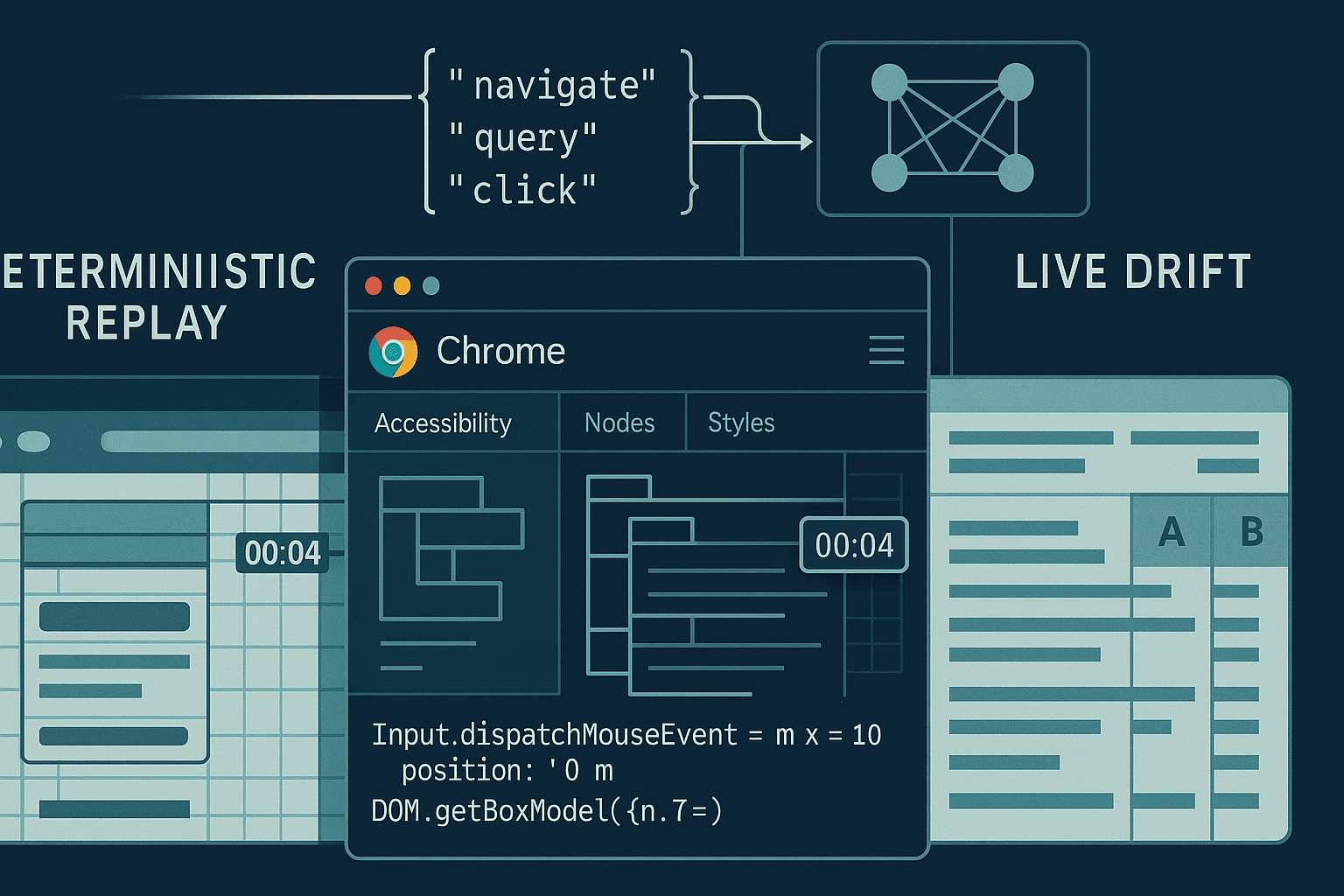
If you want a browser agent that can reliably click, type, navigate, extract, and transact on the modern web, you have to teach it the tools of the browser’s native language: the Chrome DevTools Protocol (CDP) and the structured action space of DOM, Accessibility, Input, and Network domains. “Toolformer‑style” supervision—where the model learns when and how to call tools by verifying the utility of those calls—combined with deterministic replays, hindsight rollouts, and counterfactual preference training (e.g., DPO) is the fastest path to agents that generalize beyond toy benchmarks.
This article lays out a practical, opinionated recipe:
- Mine high‑quality tool traces from deterministic CDP replays rather than from flaky live sessions.
- Synthesize and annotate CDP calls with Toolformer‑style self‑training and verification.
- Use hindsight rollouts to harvest learning signal from failed trajectories.
- Train with counterfactual preference pairs (counterfactual replays) to stabilize behavior via DPO.
- Constrain the agent with selector grammars and safe action schemas.
- Evaluate on live‑site drift with regimented canaries, DOM diffing, and reliability scorecards.
The audience is assumed to be comfortable with LLM fine‑tuning, reinforcement learning from human feedback (RLHF/DPO), and basic CDP/Puppeteer/Playwright usage.
Why CDP and not just Playwright/Puppeteer APIs? Because your agent should reason at the same granularity you debug: events, nodes, frames, input dispatch, layout boxes, and accessibility trees. LLMs benefit from semantic context (“button[aria-label=Sign in] visible at y≈420; occluded: false”), and CDP gives you that without heuristic scraping.
- Set up deterministic replays before you collect data
Live web is chaotic: A/B tests, rollouts, ads, anti‑automation, geo/locale variance, and time‑dependent content. If you train on that noise, your model learns to hedge, not to act. First build a deterministic harness that can freeze the world.
Core idea: capture a page once, then deterministically replay it while the agent explores “what if” tool choices.
- Record/serve network: Use WebPageReplay (WPR) or an equivalent recording proxy to log all HTTP(S) responses during an initial “golden” run, then serve those responses with controlled timing and headers.
- Freeze environment: Fix UA string, viewport, timezone, locale, fonts, GPU, CPU throttling, random seeds, and disable sources of nondeterminism.
- Stabilize layout: Ensure fonts and resource caching are consistent; consider service‑worker bypass if the site relies on SW caching.
Example: running Chrome + WPR
bash# 1) Record a session
wpr record --http_port=8080 --https_port=8081 --out=site.wprgo https://example.com

# 2) Serve deterministically
wpr serve --http_port=8080 --https_port=8081 site.wprgo

# 3) Launch Chrome pointed at WPR (HTTP/HTTPS over proxy)
chrome \
  --proxy-server="http=127.0.0.1:8080;https=127.0.0.1:8081" \
  --ignore-certificate-errors \
  --user-data-dir=/tmp/agent_profile \
  --lang=en-US \
  --window-size=1366,768 \
  --disable-features=IsolateOrigins,SitePerProcess \
  --disable-features=CalculateNativeWinOcclusion \
  --disable-renderer-backgrounding \
  --disable-background-timer-throttling \
  --autoplay-policy=no-user-gesture-required
Opinions that matter:
- Record in headful mode with stable GPU/OS drivers. Then replay in the same footprint. Headless subtly changes layout.
- Prefer A11y tree and box models to pixel screenshots for decisions; use screenshots mainly for post‑hoc audits.
- Avoid relying on text‑search in raw HTML; text nodes reorder under i18n and dynamic content. Use roles, labels, and testids.
- Instrument Chrome’s CDP and log everything you can afford
You need action/observation pairs aligned in time. Even when you will later abstract to higher‑level “click(selector)” tools, keep the raw CDP since it’s your ground truth for what happened.
Useful CDP domains for agents:
- Page: navigation lifecycle, frame tree, screenshot capture
- DOM: DOM.getDocument, DOM.querySelectorAll, DOM.getBoxModel
- Accessibility: A11y snapshot with roles/names/states
- Runtime: evaluate JS, isolate worlds, element handles
- Input: dispatch mouse/keyboard/pointer events
- Network: responses and request IDs, resource types
- CSS: computed styles and layout hints
Node.js + Puppeteer CDP tap
jsimport puppeteer from 'puppeteer';
import fs from 'node:fs';

(async () => {
  const browser = await puppeteer.launch({ headless: false, args: [
    '--disable-features=IsolateOrigins,SitePerProcess',
    '--window-size=1366,768'
  ]});
  const page = await browser.newPage();
  const client = await page.target().createCDPSession();

  // Enable domains you'll consume
  await client.send('Page.enable');
  await client.send('DOM.enable');
  await client.send('Runtime.enable');
  await client.send('Accessibility.enable');
  await client.send('Network.enable');

  // Wrap client.send to log commands/responses
  const logs = [];
  const origSend = client.send.bind(client);
  client.send = async (method, params) => {
    const ts = Date.now();
    const id = Math.random().toString(36).slice(2);
    logs.push({ type: 'cmd', id, ts, method, params });
    try {
      const result = await origSend(method, params);
      logs.push({ type: 'res', id, ts: Date.now(), method, result });
      return result;
    } catch (error) {
      logs.push({ type: 'err', id, ts: Date.now(), method, error: String(error) });
      throw error;
    }
  };

  // Capture events
  for (const evt of ['Page.loadEventFired','DOM.documentUpdated','Network.responseReceived','Runtime.consoleAPICalled']) {
    client.on(evt, (params) => logs.push({ type: 'evt', ts: Date.now(), evt, params }));
  }

  await page.goto('https://example.com', { waitUntil: 'networkidle0' });

  // Snapshot: DOM root node + A11y
  const { root } = await client.send('DOM.getDocument', { depth: -1, pierce: true });
  const a11y = await client.send('Accessibility.getFullAXTree');
  const screenshot = await page.screenshot({ fullPage: true, encoding: 'base64' });

  fs.writeFileSync('trace.jsonl', logs.map(o => JSON.stringify(o)).join('\n'));
  fs.writeFileSync('dom.json', JSON.stringify(root));
  fs.writeFileSync('a11y.json', JSON.stringify(a11y));
  fs.writeFileSync('shot.b64', screenshot);
  await browser.close();
})();
Data schema for training
Store episodes as sequences of observations and actions. One robust pattern is a JSONL where each record is a step:
json{
  "episode_id": "abc123",
  "t": 7,
  "instruction": "Log in to Example and go to settings",
  "observation": {
    "frame_tree": { /* ... */ },
    "a11y": { /* ... */ },
    "layout_hints": [
      {"nodeId": 42, "role": "button", "name": "Sign in", "bbox": [x,y,w,h], "visible": true}
    ]
  },
  "action": {
    "tool": "Input.dispatchMouseEvent",
    "params": {"type": "mousePressed", "x": 612, "y": 420, "button": "left", "clickCount": 1}
  },
  "result": {"ok": true}
}
You can later compile this into higher‑level tools (Click(selector), Type(selector, text), WaitFor(url|selector)) but keep the raw CDP artifacts—they de‑risk debugging and enable counterfactuals.
- Toolformer‑style supervision with CDP
Toolformer (Schick et al., 2023) showed that LMs can teach themselves to call tools by proposing tool calls inside text and keeping only those that measurably improve next‑token prediction given tool outputs. For browser agents, adapt the idea:
- Start from either human demonstrations (teleop via Playwright/Puppeteer) or scripted flows.
- Remove most tool calls from the trace, then ask the model to propose where and what to call.
- Execute those proposed calls against the deterministic replay and provide the outputs (A11y nodes, bounding boxes, DOM queries, network responses) back to the model as context.
- Accept the call if it reduces loss on the next tokens of the demo or if it passes a task‑specific utility check (e.g., “did visibility become true?”, “did URL match pattern?”, “did we reach an authenticated state?”).
Inline tool annotations example (conceptual):
User: Open Example and sign in.
Assistant: Navigating to https://example.com
<tool:Page.navigate url="https://example.com"/>
<tool_result>{"ok": true, "url": "https://example.com/", "status": 200}</tool_result>
I need the Sign in button.
<tool:Accessibility.find role="button" name="Sign in"/>
<tool_result>{"nodeId": 101, "bbox": [600,415,120,40], "visible": true}</tool_result>
<tool:Input.click nodeId=101/>
<tool_result>{"ok": true}</tool_result>
The acceptance criterion can be purely LM‑loss based (as in Toolformer) or hybrid: “keep this call if it makes the next two actions easier to predict and if the DOM diff shows we reached the login form.” Because we have deterministic replay, executing thousands of candidate calls is cheap and safe.
Implementation hints:
- Provide the model with a compact, normalized context: the A11y tree pruned to visible, actionable nodes; a whitelist of attributes; y‑sorted clickable elements; and a per‑node salience score (role weight + visibility + size + proximity to viewport)
- Cap tool result payload sizes (truncate node lists, images as references not inline)
- Normalize across sites with a typed schema (e.g., ActionableElement {role, name, id, selector, bbox})
- Synthesizing CDP calls reliably
Direct CDP is low‑level. Define a contract of higher‑level tools that compile down to CDP atoms while keeping deterministic semantics. For example:
- query(role, name, constraints) → returns nodeId, bbox, selector candidates
- click(nodeId|selector) → DOM.scrollIntoViewIfNeeded + Input.mouseMoved/Pressed/Released
- type(selector, text) → focus + Input.insertText
- waitFor(predicate, timeout) → runtime eval repeated with virtual time budget
- readText(selector) → innerText via Runtime.callFunctionOn
Example: compile a click(nodeId) to CDP
jsasync function clickNode(client, nodeId) {
  // Ensure visibility and scroll into view
  const { model } = await client.send('DOM.getBoxModel', { nodeId });
  if (!model) throw new Error('no box model');
  const [x, y] = [Math.round(model.content[0] + model.width/2), Math.round(model.content[1] + model.height/2)];
  await client.send('Runtime.callFunctionOn', {
    objectId: (await client.send('DOM.resolveNode', { nodeId })).object.runtimeId,
    functionDeclaration: 'function(){ this.scrollIntoView({block: "center", inline: "center"}); }',
    awaitPromise: true
  });
  await client.send('Input.dispatchMouseEvent', { type: 'mouseMoved', x, y, buttons: 1 });
  await client.send('Input.dispatchMouseEvent', { type: 'mousePressed', x, y, button: 'left', clickCount: 1 });
  await client.send('Input.dispatchMouseEvent', { type: 'mouseReleased', x, y, button: 'left', clickCount: 1 });
}
You can gate these tools behind a JSON schema so the LLM emits structured calls via function‑calling or constrained decoding.
- Hindsight rollouts: extract learning from failures
Borrowing from Hindsight Experience Replay (Andrychowicz et al., 2017), any failed episode contains successful subgoals. In web tasks, subgoals are naturally expressed in DOM/A11y milestones: “opened menu”, “filled username field”, “navigated to /settings/profile”, “saw element with role=alert and name includes ‘signed in’”.
Use hindsight rollouts to generate auxiliary training pairs:
- Hindsight instruction relabeling: replace the original instruction with the subgoal that was achieved, e.g., “Open the profile menu” if that’s what the agent actually did. Train the model to reproduce the part of the trajectory that achieved that subgoal.
- Hindsight trajectory truncation: keep prefixes that monotonically improved a progress metric (URL matched target domain, A11y landmarks progressed, etc.).
- Hindsight reward shaping: define detectors (regex on URL, role‑name patterns, cookie presence) to score partial success and train Q‑values or simply produce preferences for DPO.
Pseudocode: relabeling an episode
pythonfrom typing import List, Dict

SUBGOAL_DETECTORS = [
    lambda obs: ('menu_opened', 'Opened the account menu') if any(n['role']=='menu' and n['expanded'] for n in obs['a11y_nodes']) else None,
    lambda obs: ('settings_url', 'Navigated to settings page') if '/settings' in obs['url'] else None,
    lambda obs: ('form_filled', 'Filled the username field') if obs.get('filled', {}).get('username') else None,
]

def hindsight_pairs(episode: List[Dict]):
    achieved = []
    for step in episode:
        for det in SUBGOAL_DETECTORS:
            r = det(step['observation'])
            if r and r[0] not in {k for k,_ in achieved}:
                achieved.append(r)
                yield {
                    'instruction': r[1],
                    'context': step['observation_minimal'],
                    'actions': extract_prefix_actions(episode, upto=step['t'])
                }
Do this offline against deterministic replays to produce thousands of extra supervised pairs without more human labor.
- Counterfactual replays and DPO
Direct Preference Optimization (DPO; Rafailov et al., 2023) is simpler and stabler than PPO for many sequence problems: you present preferred vs dispreferred outputs for the same input and push the model toward the former. For browser agents, we can synthesize counterfactuals:
- At a given observation (DOM/A11y snapshot), generate multiple candidate actions/sequences that differ meaningfully: different selectors for the same target, click vs Enter key, immediate submit vs field‑by‑field, etc.
- Execute all candidates against the deterministic replay.
- Score them via a progress function (did we get closer to the goal?), a safety checker (no navigation loops, no 404s), and a minimality prior (fewer steps preferred).
- Produce preference pairs (chosen vs rejected) and train with DPO.
Because the environment is deterministic, counterfactual outcomes are consistent, and the preferences are clean.
Minimal TRL DPO trainer example (offline)
pythonfrom datasets import load_dataset
from trl import DPOTrainer
from transformers import AutoTokenizer, AutoModelForCausalLM, TrainingArguments

# Dataset columns: prompt, chosen, rejected
prefs = load_dataset('json', data_files={'train': 'prefs_train.jsonl', 'eval': 'prefs_eval.jsonl'})

model_name = 'meta-llama/Llama-2-7b-hf'
tokenizer = AutoTokenizer.from_pretrained(model_name, use_fast=True)
model = AutoModelForCausalLM.from_pretrained(model_name)

args = TrainingArguments(
    output_dir='out_dpo', per_device_train_batch_size=2, gradient_accumulation_steps=8,
    learning_rate=1e-5, num_train_epochs=2, fp16=True, logging_steps=50, save_steps=1000
)

trainer = DPOTrainer(
    model=model,
    ref_model=None,  # can use a frozen reference model for KL control
    args=args,
    beta=0.1,
    train_dataset=prefs['train'],
    eval_dataset=prefs['eval'],
    tokenizer=tokenizer,
)

trainer.train()
In our setting, each prompt contains the instruction and a normalized observation (A11y summary + candidate elements). The chosen/rejected are short action sequences encoded as tool calls. You can add a per‑site “style guide” so the agent prefers robust patterns: aria‑label over nth‑child selectors, role+name over raw text matches, wait on stability before typing, etc.
- Grammar‑constrained selectors and safe actions
Unconstrained natural language is too flexible for precise tools. Constrain decoding with grammars and typed schemas:
- Selector grammar. Encourage stable selectors by construction: prefer data‑testids, roles, names, and query functions that map to A11y semantics; disallow brittle nth‑child unless explicitly whitelisted.
- Action schema. Limit to a small vocabulary (Navigate, Query, Click, Type, WaitFor, ReadText) with JSON arguments validated against a schema.
- Execution guards. Every action evaluated inside a side‑effect sandbox first: query/dry‑run; only if visible/within viewport/not occluded do you dispatch input.
Example: JSON Schema for tools emitted by the LLM
json{
  "$schema": "http://json-schema.org/draft-07/schema#",
  "oneOf": [
    {
      "title": "Navigate",
      "type": "object",
      "properties": {"tool": {"const": "navigate"}, "url": {"type": "string", "format": "uri"}},
      "required": ["tool", "url"]
    },
    {
      "title": "Query",
      "type": "object",
      "properties": {
        "tool": {"const": "query"},
        "role": {"type": "string"},
        "name": {"type": "string"},
        "attrs": {"type": "object"}
      },
      "required": ["tool"]
    },
    {
      "title": "Click",
      "type": "object",
      "properties": {
        "tool": {"const": "click"},
        "target": {"oneOf": [
          {"type": "object", "properties": {"nodeId": {"type": "integer"}}, "required": ["nodeId"]},
          {"type": "object", "properties": {"selector": {"type": "string"}} , "required": ["selector"]}
        ]}
      },
      "required": ["tool", "target"]
    }
  ]
}
EBNF for a safe CSS‑like selector (for constrained decoding via Llama‑cpp grammar or Outlines):
selector  := simple (combinator simple)* ;
simple    := testid | roleName | attrEq | textLike ;
combinator:= ' > ' | ' ' ;
testid    := '[data-testid="' ident '"]' ;
roleName  := '[role="' ident '"][name="' text '"]' ;
attrEq    := '[' ident '=' '"' text '"' ']' ;
textLike  := ':has-text("' text '")' ;
ident     := [A-Za-z_][A-Za-z0-9_\-]* ;
text      := { any char except '"' } ;
With constrained decoding, the model can’t invent brittle selectors. Pair this with runtime checks: if a selector yields >3 matches, force disambiguation with role+name; if 0 matches, back‑off to Query(role,name) via A11y.
- Evaluating on live‑site drift
Deterministic replay trains the agent to be decisive. But the real world drifts. Your evaluation loop should probe for robustness without contaminating training.
Key principles:
- Canary set. A fixed list of tasks across 20–50 popular sites with a service agreement (you own or have permission) or a robots‑friendly sandbox.
- Multi‑locale/UA matrix. Evaluate in at least 3 locales and 2 UA buckets (desktop, mobile emulation) to detect i18n and responsive drift.
- Drift taxonomies. Log each failure to one of: layout shift (bbox moved off viewport), content mismatch (text changed), auth flow change (IDP new step), anti‑bot (challenge presented), timing (resource slow), or regression (agent change).
Metrics that matter:
- Success@K: fraction of tasks solved within K tool calls.
- Replan rate: percent of episodes where the agent had to abandon a plan due to a failed precondition.
- Selector brittleness: percent of selectors that break under a minor DOM change (measured by synthetic perturbation during replay).
- Tool error rate: fraction of CDP calls that return an error (node is detached, stale element ref, blocked input).
- Time‑to‑success and energy: wall clock, calls per success, CPU seconds.
You can measure drift by running the same trained snapshot weekly, tracking deltas by site and by flow, and flagging those that drop more than 10%. Pair with A/B ablations (grammar off/on, DPO on/off, hindsight on/off) to understand which training stages bring the most robustness.
- A practical training pipeline (end‑to‑end)
Step 0 — Define the action space and schemas
- JSON tool set: navigate, query, click, type, waitFor, readText, select, submit.
- CDP compilation: map each tool to a deterministic sequence of CDP calls with guards.
- Selector grammar: role+name first, testids next, text has‑text fallback.
Step 1 — Build deterministic replays
- Record flows with WPR or another proxy, stabilize environment (flags, fonts, UA, locale).
- Capture CDP traces and snapshots (A11y, DOM, box models) at steady points.
- Sanitize PII and credentials; for auth, use seeded demo accounts or inject tokens via cookies at replay time.
Step 2 — Bootstrap SFT dataset
- From human teleop or scripted flows, extract observation→tool sequences.
- Normalize observations to compact summaries (top‑N actionable elements, URL, landmarks, form fields, visible alerts).
- Train a base SFT model to emit tool JSON with constrained decoding.
Step 3 — Toolformer‑style self‑training
- Remove some tool calls from gold traces; prompt the model to propose calls.
- Execute proposals in replay; keep calls that reduce next‑action NLL and pass utility checks.
- Iteratively expand the dataset with accepted annotations.
Step 4 — Hindsight rollouts
- Generate subgoal‑labeled pairs from failures and prefixes.
- Emphasize stability heuristics (e.g., “wait for element stable” before click) as learned behaviors.
Step 5 — Counterfactual DPO
- At key decision points, branch into multiple action candidates and run them in replay.
- Score and produce (chosen, rejected) pairs; train with DPO (beta≈0.05–0.2 works well) on top of SFT.
- Optionally add a frozen reference model to regularize style and prevent mode collapse.
Step 6 — Evaluate and harden
- Run canaries live across locales and UAs; compute scorecards.
- Trace regressions back to selectors or timing; add grammar rules or guards as needed.
- Repeat steps 3–5 monthly; only refresh replays when site versions drift beyond tolerance.
- Making selectors robust in practice
What breaks selectors:
- nth‑child and index‑based queries break on any CMS edit.
- Raw text matches break on i18n and A/B tests.
- Auto‑generated class names (CSS‑in‑JS, Tailwind jit) change per build.
What holds:
- ARIA roles and accessible names: role=button, name=Sign in; they are tied to semantics, not layout.
- data‑testids or stable attributes that teams agree to not change.
- Accessible relationships (label → control via for/id, aria‑labelledby).
Engineering pattern:
- Use A11y query first. Only after a11y miss, search by data‑testid. Only as a last resort, use :has-text with context (ancestor landmarks like nav/main/footer) to disambiguate.
- Ensure waitForVisible + waitForStable (no layout shift for 300ms) before input.
- On 0‑match: backoff to alternative strategies and log for dataset augmentation.
- Safety, ethics, and platform realities
- Anti‑automation policies: Respect robots, TOS, and rate limits. Prefer owned sites or sandbox mirrors for training.
- Privacy: Strip PII, redact screenshots, and segregate credentials. Never store user secrets in training corpora.
- Stability: Prefer extension‑based injection for enterprise deployments (Manifest V3) when you need long‑lived background context and to avoid CSP issues.
- References and related work
- Toolformer: Schick et al., 2023 — self‑supervision for tool use.
- Hindsight Experience Replay: Andrychowicz et al., 2017 — learn from failures by relabeling goals.
- DPO: Rafailov et al., 2023 — preference optimization without reward modeling.
- Web agent benchmarks: MiniWoB, WebShop (Yao et al., 2022), Mind2Web (Liu et al., 2023), WebArena (Zhou et al., 2023), GAIA.
- Practical harnesses: Playwright, Puppeteer, chrome‑remote‑interface, Chrome DevTools Protocol documentation.
- A small worked example: login + navigate to settings
We’ll illustrate an end‑to‑end tool emission, compilation to CDP, and how we would produce counterfactuals.
Input instruction
“Sign in to Example and open Account Settings.”
Normalized observation (truncated)
url: https://example.com/
actionable: [
  {id:101, role: "button", name: "Sign in", bbox:[600,415,120,40], visible:true},
  {id:205, role: "link", name: "Products"},
]
Model output (constrained JSON tools)
json{"tool":"query","role":"button","name":"Sign in"}
{"tool":"click","target":{"nodeId":101}}
{"tool":"waitFor","predicate":"url-contains:/login"}
{"tool":"type","target":{"selector":"[name=\"username\"]"},"text":"demo@example.com"}
{"tool":"type","target":{"selector":"[name=\"password\"]"},"text":"hunter2"}
{"tool":"click","target":{"selector":"[role=\"button\"][name=\"Sign in\"]"}}
{"tool":"waitFor","predicate":"a11y-has:role=alert,name~=\\bSigned in\\b"}
{"tool":"query","role":"button","name":"Account"}
{"tool":"click","target":{"selector":"[role=\"button\"][name=\"Account\"]"}}
{"tool":"click","target":{"selector":"[role=\"menuitem\"][name=\"Settings\"]"}}
{"tool":"waitFor","predicate":"url-contains:/settings"}
Compilation to CDP
- query → Accessibility snapshot + match on role/name; fallback to DOM.querySelectorAll with grammar‑constrained selector candidates.
- click → scrollIntoViewIfNeeded + Input.dispatchMouseEvent sequence; verify postcondition (activeElement changed or URL changed).
- type → focus via Runtime.callFunctionOn + Input.insertText per field.
Counterfactuals at decision points
- Instead of clicking the visible “Sign in” button, try pressing Enter in the username field; evaluate whether it successfully submits.
- Try selector by data‑testid vs role/name; prefer the one with lower brittleness score (historical).
- Try waiting for domContentLoaded vs networkidle; prefer the minimal wait that avoids stale element errors.
Scoring
- Success if final URL matches /settings and A11y landmark contains heading “Settings”.
- Prefer sequences with fewer actions and lower latency; penalize any Input error.
The chosen vs rejected sequences feed your DPO dataset.
- Implementation gotchas and tips
- Frame madness: Many sites tuck auth in same‑origin iframes. Query by frame tree and always resolve nodeIds in the correct context. For cross‑origin, rely on A11y snapshot from the top frame and defer to in‑frame scripts when allowed.
- Virtual time: For stable waits, consider CDP’s Emulation.setVirtualTimePolicy to simulate consistent timers without wall‑clock delays, but beware sites that poll Date.now.
- Stale nodes: After navigation or heavy DOM mutations, nodeIds detach. Wrap every action with a “re‑resolve before acting” step via DOM.describeNode/resolveNode.
- OCR last resort: Some anti‑bot flows render text in canvas. Keep OCR out of the core loop; instead, log these cases and build site‑specific exemptions.
- Auth tokens: For training, inject cookies/LocalStorage where allowed to skip riskier credential handling. Evaluate both pre‑auth and post‑auth tasks.
- What I believe (opinionated conclusions)
- You won’t get to Playwright‑grade reliability with pure language‑only training. The agent must think and act in the browser’s native abstractions (A11y, DOM, Input), and it must practice in stable sandboxes before facing the wild.
- Toolformer‑style verification turns LLM hallucinations about tools into measurable improvements. Without it, “call the tool” becomes a stylistic habit rather than a learned capability.
- Hindsight rollouts are the cheapest data multiplier you have; treat every failure as a curriculum generator.
- Counterfactual DPO beats fragile shaped rewards for web tasks. Deterministic replays let you author crisp preferences instead of noisy scalar rewards.
- Grammar‑constrained decoding is not optional. It’s your safety rail against the combinatorial chaos of selectors and JSON.
Appendix: Constrained decoding with Outlines (Python)
pythonfrom outlines import models, generate

# Define a JSON schema for your tools
schema = {
  "type": "object",
  "properties": {
    "tool": {"enum": ["navigate","query","click","type","waitFor","readText"]},
    "role": {"type": "string"},
    "name": {"type": "string"},
    "target": {"type": "object"}
  },
  "required": ["tool"]
}

lm = models.transformers("meta-llama/Llama-2-7b-hf")

@generate.json(schema)
def tool_call(prompt: str):
    return lm

print(tool_call("Open Example and click Sign in"))
Appendix: Quick DOM/A11y summarizer
jsasync function summarize(client) {
  const axtree = await client.send('Accessibility.getFullAXTree');
  const actionable = [];
  function walk(nodes, path=[]) {
    for (const n of nodes) {
      const role = n.role && n.role.value;
      const name = n.name && n.name.value;
      const focusable = n.focused || (n.properties||[]).some(p => p.name==='focusable' && p.value && p.value.value===true);
      if (['button','link','textbox','menuitem','combobox'].includes(role)) {
        actionable.push({ role, name, nodeId: n.nodeId });
      }
      if (n.children) walk(n.children, path.concat(n));
    }
  }
  walk(axtree.nodes || []);
  return actionable.slice(0, 50);
}
Closing
Training LLM browser agents that actually ship is more engineering than magic. The stack—deterministic replays, CDP supervision, hindsight relabeling, counterfactual DPO, and strict grammars—turns the web from an adversary into a laboratory. Once your agent performs in the lab, you can responsibly expose it to live‑site drift and iterate with confidence. That combination, not bigger base models alone, is what closes the gap between demos and dependable automation.