
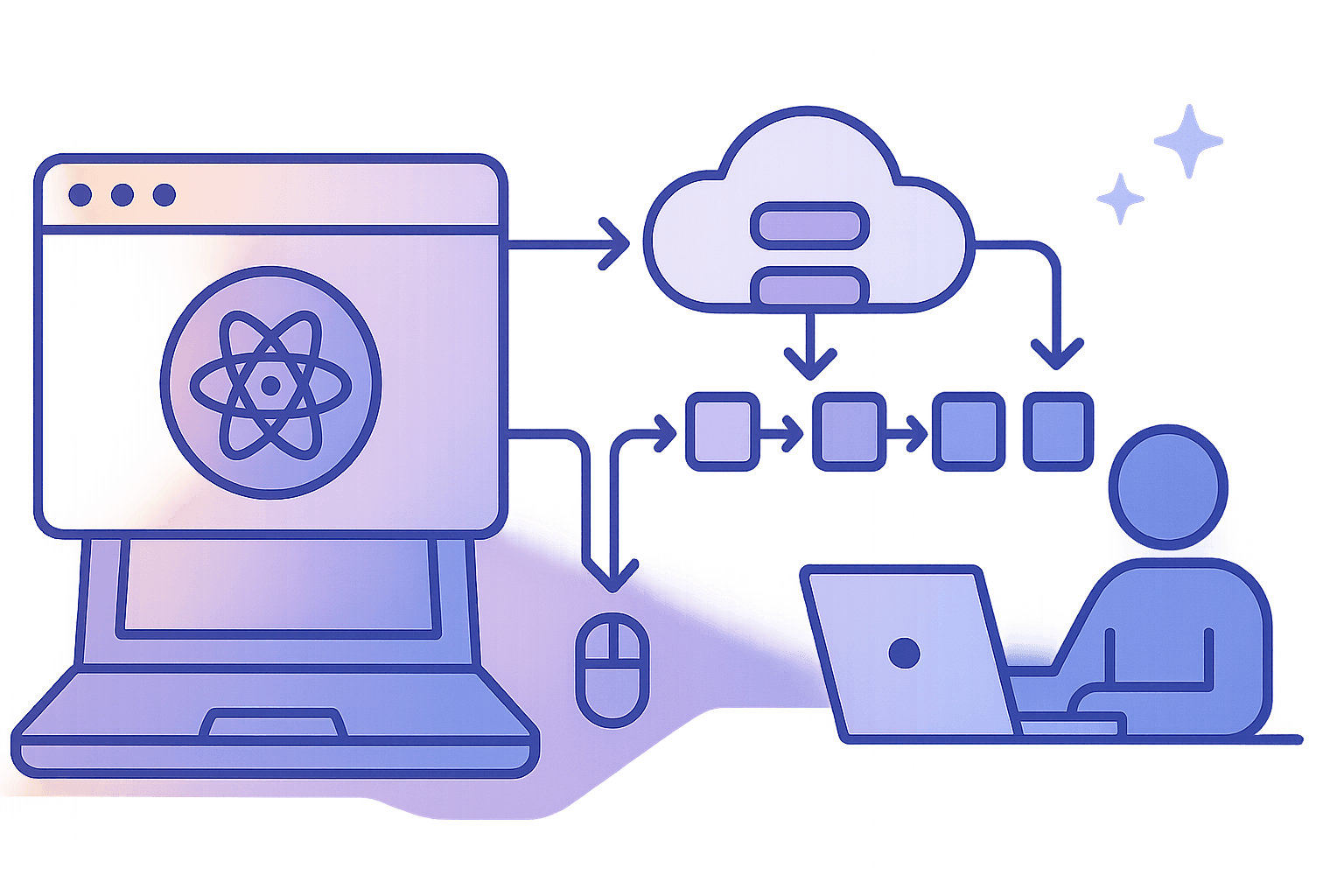
WebGPU LLMs for Agentic Browsers: Hybrid On-Device/Cloud Inference, Weight Streaming, and Cross-Navigation KV Cache
Running a useful LLM inside the browser was a novelty in 2023. In 2026, it’s becoming table stakes for agentic UX. WebGPU and smart systems design make in-browser small language models (SLMs) feel responsive, private, and reliable—while hybrid routing to cloud models covers long contexts and heavy tasks.
This article lays out an opinionated, end-to-end architecture for agentic browsers powered by WebGPU. We’ll go deeper than “you can run a model client-side,” covering:
- Quantization that actually fits and works in the browser
- Weight streaming with range requests + progressive decode
- KV cache persistence across navigations and sessions
- Hybrid on-device/cloud inference and prefill handoff
- Memory limits, sharding, and GPU kernel strategy
- Service Worker orchestration for reliability and offline support
You’ll find concrete code snippets, rules of thumb, and pitfalls we’ve tripped over so you don’t have to.
TL;DR
- Use WebGPU compute with per-layer tiled matmuls and fused QKV for decode. Aim for int4/int8 weight-only quantization and f16 activations.
- Stream weights and (optionally) KV via HTTP Range + Service Worker, chunked by layer. Store in Cache Storage and verify by content hash.
- Persist KV caches across navigations: keep hot KV in SharedArrayBuffer for instant reuse; persist cold KV in IndexedDB when memory is tight.
- Route prefill to cloud for long prompts; import the KV to the browser and decode locally for low-latency token generation.
- Budget memory aggressively. KV is the elephant in the room—use sliding windows, 8-bit KV, and paged attention data structures.
- Centralize orchestration in a Service Worker using MessageChannel/BroadcastChannel, and keep the main thread free.
Why on-device LLM in the browser?
- Privacy by default: prompts stay client-side.
- Low latency: decode loop runs local, no round-trips.
- Offline-ish: cached weights and KV enable continuity.
- Cost control: cut cloud spend for short, simple tasks.
You will not beat state-of-the-art frontier models locally (and you don’t need to). The trick is building a hybrid system that feels instant and private for the common path, and seamlessly escalates to the cloud when necessary.
WebGPU primer for LLM inference
WebGPU exposes modern GPU compute to JS/WASM with WGSL kernels. You get:
- Compute pipelines with bind groups for buffers/textures
- Reasonable limits (but watch maxStorageBufferBindingSize, often 128–256 MB)
- Shared memory (workgroup) and SIMD-friendly math
Typical LLM kernels you need:
- Matmul/GEMM for MLP and attention projections
- Fused QKV projection and softmax
- Quantized dequant (int4/int8 to fp16/fp32) on the fly
- Rotary embeddings (RoPE)
A minimal WGSL tile-matmul (conceptual, not production-optimized):
wgslstruct Matrix {
  data: array<f16>,
};

@group(0) @binding(0) var<storage, read> A: Matrix; // MxK
@group(0) @binding(1) var<storage, read> B: Matrix; // KxN
@group(0) @binding(2) var<storage, read_write> C: Matrix; // MxN

const TILE_M: u32 = 16;
const TILE_N: u32 = 16;
const TILE_K: u32 = 16;

var<workgroup> tileA: array<array<f16, TILE_K>, TILE_M>;
var<workgroup> tileB: array<array<f16, TILE_N>, TILE_K>;

@compute @workgroup_size(TILE_M, TILE_N, 1)
fn main(@builtin(global_invocation_id) gid: vec3<u32>,
        @builtin(local_invocation_id) lid: vec3<u32>) {
  let M: u32 = /* set via push constant */ 0u;
  let N: u32 = /* set via push constant */ 0u;
  let K: u32 = /* set via push constant */ 0u;

  var acc: f16 = 0.0h;
  let row = gid.y;
  let col = gid.x;

  for (var t = 0u; t < (K + TILE_K - 1u) / TILE_K; t++) {
    let aRow = row;
    let aCol = t * TILE_K + lid.x;
    let bRow = t * TILE_K + lid.y;
    let bCol = col;

    tileA[lid.y][lid.x] = (aRow < M && aCol < K) ? A.data[aRow * K + aCol] : 0.0h;
    tileB[lid.y][lid.x] = (bRow < K && bCol < N) ? B.data[bRow * N + bCol] : 0.0h;

    workgroupBarrier();

    for (var k = 0u; k < TILE_K; k++) {
      acc += tileA[lid.y][k] * tileB[k][lid.x];
    }

    workgroupBarrier();
  }

  if (row < M && col < N) {
    C.data[row * N + col] = acc;
  }
}
In practice, you’ll want f16 buffers, vectorized loads, and fused operations to reduce memory bandwidth. For attention, implement tiled softmax or FlashAttention-style blocks to avoid materializing full attention matrices (see Dao et al., FlashAttention).
Choosing a model that fits
Rule-of-thumb memory budget for weights:
- fp16: ~2 bytes/param
- int8: ~1 byte/param
- int4: ~0.5 bytes/param
Examples (weights only):
- 1B params: fp16 ~2 GB, int8 ~1 GB, int4 ~0.5 GB
- 3B params: fp16 ~6 GB, int8 ~3 GB, int4 ~1.5 GB
On an integrated GPU with shared memory, you likely can’t bind a single multi-gigabyte buffer. You’ll shard by layer and by tensor, keep int4/int8 on device memory, and stream/dequant on the fly.
Operationally:
- 1–3B models int4 are the sweet spot for commodity laptops
- 7B int4 is feasible with aggressive streaming and paging, but KV becomes the limiting factor quickly
Quantization that works in browsers
For browser inference, weight-only quantization gives you most of the benefit with minimal kernel complexity.
- GPTQ/AWQ: post-training weight-only quantization that preserves quality by channel-wise scaling. AWQ tends to be robust for decode-heavy workloads.
- NF4 (QLoRA-style): a 4-bit float-ish format offering better accuracy; you’ll still dequant to f16 in kernels.
- SmoothQuant: if you need activation quantization, but it adds complexity. Most browser stacks stick to f16 activations.
A common strategy:
- QKV/MLP weights: int4 or int8 per-channel with f16 scales
- Activations and KV: f16 or f8 (experimental) for throughput vs memory
- Dequantize inside matmul kernel using per-channel scales
Pseudocode to dequantize inside a WMMA-like tile (JS for clarity, conceptually WGSL):
js// q: Int8Array or packed 4-bit values
// scales: Float32Array (per-channel)
// Dequant into f16 registers before multiply
function dequantDot(qTile, scales, aTileF16 /* activations */) {
  for (let m = 0; m < TILE_M; m++) {
    for (let n = 0; n < TILE_N; n++) {
      const ch = n; // assuming per-output-channel scale
      const scale = scales[ch];
      const wq = qTile[m][n]; // int8 or unpacked int4
      const w = scale * wq;   // dequant to fp32 then cast to f16 in shader
      // acc[m][n] += dot(aTileF16[m][:], w)
    }
  }
}
Packing int4:
- Two 4-bit weights per byte; unpack in the shader using bit operations
- Precompute per-channel scale and zero-point
In WGSL, bit unpacking:
wgslfn unpack_int4(x: u32) -> vec2<i32> {
  let lo = i32(x & 0xFu);
  let hi = i32((x >> 4u) & 0xFu);
  // Convert unsigned nibble to signed symmetric range [-8, 7]
  let lo_s = select(lo, lo - 16, lo > 7);
  let hi_s = select(hi, hi - 16, hi > 7);
  return vec2<i32>(lo_s, hi_s);
}
Weight streaming: load as you go
Downloading gigabytes up front is a non-starter. Instead, stream by layer and start decoding as soon as the minimum layers are resident.
Key ideas:
- Chunk weights per tensor (e.g., per layer: Wq, Wk, Wv, Wo, W1, W2, W3)
- Use HTTP Range requests for random access, validated via ETag/SRI
- Cache chunks in the Service Worker’s Cache Storage keyed by content hash
- Pre-warm the next layer(s) while the GPU computes the current token
Service Worker intercept with Range support:
js// sw.js
self.addEventListener('fetch', (event) => {
  const url = new URL(event.request.url);
  if (!url.pathname.startsWith('/models/')) return;

  event.respondWith((async () => {
    const cache = await caches.open('model-cache-v1');
    const req = event.request;
    const range = req.headers.get('Range');

    // Try cache hit first
    const cached = await cache.match(req);
    if (cached) return cached;

    // Fetch from origin with Range (if present)
    const resp = await fetch(req);
    if (!resp.ok) return resp;

    // Optionally verify content hash from a manifest
    const cloned = resp.clone();
    await cache.put(req, cloned);
    return resp;
  })());
});
Progressive layer initialization on the page:
jsasync function loadLayer(manifest, layerIdx) {
  const layer = manifest.layers[layerIdx];
  const tensors = await Promise.all(layer.tensors.map(async (t) => {
    const resp = await fetch(t.url, { headers: { 'Range': `bytes=${t.offset}-${t.end}` } });
    const buf = await resp.arrayBuffer();
    return { name: t.name, buf };
  }));
  // Create GPU buffers, possibly staying compressed (int4) until shader dequant
  return initLayerOnGPU(tensors);
}

// Minimal warm pipeline: load layer 0..1, start prefill/decode while streaming others
For resiliency, ship a signed manifest:
json{
  "model": "slm-3b-int4",
  "hash": "sha256-...",
  "layers": [
    { "id": 0, "tensors": [ {"name": "Wq", "url": "/models/m/Wq.bin", "offset": 0, "end": 1048575, "hash": "sha256-..." }, ... ] },
    ...
  ]
}
KV cache: the elephant in the room (and how to move it)
KV memory per token is huge for standard attention:
- KV tokens size ≈ 2 × L × H × Dhead × dtype_size
- Example (LLaMA-7B-ish): L=32, H=32, Dhead=128, dtype=f16 (2 bytes)
- Per token bytes ≈ 2 × 32 × 32 × 128 × 2 = 524,288 bytes ≈ 0.5 MB/token
At 2k tokens, that’s ~1 GB just for KV. This is why “7B in browser” is often bottlenecked by KV, not weights. Practical mitigations:
- Use sliding window attention (truncate oldest tokens)
- Quantize KV to 8-bit (0.25 MB/token) or even f8 if supported
- Use paged attention (vLLM-style), storing KV blocks in pages
- Reduce heads or head dim in SLM architecture (model choice matters)
Cross-navigation KV cache
Goal: keep conversation state when the user navigates or refreshes.
Recommended design:
- Hot KV: SharedArrayBuffer (SAB) between tabs and the Service Worker via MessageChannel; requires crossOriginIsolated (COOP+COEP headers)
- Warm KV: IndexedDB persistence with chunked pages to avoid large transactions
- Versioning: key KV by {model_hash, tokenizer_hash, rope_base, dtype, seq_len}
- Security: don’t persist KV unless the user opts in or it’s same-origin agent
SAB sharing from page to worker:
js// main.js
const channel = new MessageChannel();
const sab = new SharedArrayBuffer(kvBytes);
const kvView = new Uint8Array(sab);

navigator.serviceWorker.ready.then(reg => {
  reg.active.postMessage({ type: 'KV_INIT', sab }, [channel.port2, sab]);
});
In the Service Worker (note: SW can receive transferable SAB; compute should run in a Dedicated/Shared Worker spawned by SW to avoid SW lifecycle quirks):
js// sw.js
let kvSAB;
self.onmessage = (event) => {
  const { data, ports } = event;
  if (data.type === 'KV_INIT') {
    kvSAB = data.sab; // retain reference
    // Optionally pass SAB to a dedicated worker for compute
  }
};
Persisting KV pages in IndexedDB:
js// kv-store.js
export async function saveKV(db, sessionId, pageIdx, buf) {
  return new Promise((resolve, reject) => {
    const tx = db.transaction('kv', 'readwrite');
    const store = tx.objectStore('kv');
    store.put({ id: `${sessionId}:${pageIdx}`, buf });
    tx.oncomplete = resolve;
    tx.onerror = reject;
  });
}

export async function loadKV(db, sessionId, pageIdx) {
  return new Promise((resolve, reject) => {
    const tx = db.transaction('kv', 'readonly');
    const store = tx.objectStore('kv');
    const req = store.get(`${sessionId}:${pageIdx}`);
    req.onsuccess = () => resolve(req.result?.buf || null);
    req.onerror = reject;
  });
}
KV serialization header (store once per session):
json{
  "model_hash": "sha256-...",
  "tokenizer_hash": "sha256-...",
  "dtype": "f16|u8",
  "layers": 24,
  "heads": 24,
  "head_dim": 96,
  "rope_base": 10000,
  "seq_len": 1024,
  "page_size_tokens": 128
}
Cache invalidation heuristics:
- Mismatch on any header field → don’t reuse
- If user edits early prompt drastically, consider discarding first pages or re-prefill
- Track tokenization compatibility (same BOS/EOS behavior)
Paged attention in browsers
Implement a simple page table:
- Fixed-size KV pages (e.g., 128 tokens) per layer/head
- Keep a memory-resident working set; evict oldest to IndexedDB when over budget
- On decode, gather the pages covering [prefix_window, current_pos)
- Consider a two-level index for quick lookup
This mirrors vLLM’s idea at a smaller scale and works well in JS/WASM with WebGPU buffers bound per page.
Hybrid on-device/cloud inference
Pure local is great until it isn’t: long prompts, tool-heavy tasks, or quality-sensitive situations benefit from cloud models. The trick is routing intelligently without breaking UX or privacy guarantees.
Common patterns:
- Prefill in cloud, decode local (KV handoff)
- Send prompt to cloud model that is model-compatible (same architecture and RoPE params)
- Cloud computes up to N tokens of prefill and streams KV blocks to the browser
- Browser imports KV, starts local decode immediately
Pros: fast time-to-first-token locally, cloud handles the heavy O(n^2) prefill
Cons: KV transfer is large; compress to u8 or f8 and stream in chunks. Over a fast link, it works well up to modest context lengths.
- Full cloud routing for oversized tasks
- If estimated KV + weights exceed device budget, or the user demands a larger model, route the entire request to cloud and stream tokens
- Local draft + cloud refine (Mixture-of-Agents UX)
- Local SLM generates a fast draft for immediate UX
- In parallel, cloud LLM refines/validates; UI swaps in improved answer on completion
Routing policy sketch:
tsinterface DeviceProfile {
  gpuMemMB: number;
  jsHeapMB: number;
  adapterLimits: GPUAdapterLimits;
  estTokPerSec: number;
  networkRTTms: number;
  userPrivacy: 'local-only' | 'hybrid-ok' | 'cloud-ok';
  batteryLevel?: number;
}

function route(request: { promptTokens: number; maxNewTokens: number; quality: 'draft'|'high'; },
               dev: DeviceProfile) {
  const kvPerTokMB = 0.25; // u8 KV estimate for target model
  const estKV = kvPerTokMB * (request.promptTokens + request.maxNewTokens);
  const weightMB = 1500; // e.g., 3B int4

  if (dev.userPrivacy === 'local-only') return 'local';

  if (weightMB + estKV > dev.gpuMemMB * 0.8) {
    return 'cloud';
  }

  if (request.promptTokens > 1024 && dev.networkRTTms < 80 && dev.userPrivacy !== 'local-only') {
    return 'prefill-cloud-decode-local';
  }

  if (request.quality === 'high' && dev.estTokPerSec < 8) {
    return 'cloud';
  }

  return 'local';
}
KV import/export protocol (binary framing):
- Header: JSON with model hash and kv layout → length-prefixed
- Body: interleaved pages [layer][head][page] with dtype=u8/f8, little-endian
- Verify with a Merkle-style chunk hash if you care about integrity
Security posture: if you do KV handoff, encrypt in transit (TLS is given), and consider not persisting cloud-origin KV locally unless the user opts in.
Memory limits and practical constraints
Be realistic about browser constraints:
- JS heap limits: often 512 MB–1.5 GB depending on device; avoid large ArrayBuffers on the main thread
- WebGPU limits: maxStorageBufferBindingSize commonly 128–256 MB, maxBufferSize can be larger but not bindable as a single storage buffer
- Integrated GPUs share memory with the system; heavy allocations can thrash
- Cross-origin isolation needed for SharedArrayBuffer (COOP: same-origin; COEP: require-corp)
Tactics:
- Shard large tensors into <=128 MB buffers and bind multiple in a loop
- Prefer storage textures for some layouts if they better fit limits (trade-offs apply)
- Pin big allocations in a Dedicated Worker; postMessage Transferables to move ownership
- Keep the main thread free; render UI and handle input smoothly
Binding multiple shards in WGSL loop:
wgsl// Pseudo: loop over shards in K dimension
for (var shard = 0u; shard < numShards; shard++) {
  // bind group updated by JS to point to shard buffers
  // compute pass dispatch
}
Model sharding and scheduling
Within a single adapter, you can’t truly split compute across GPUs, but you can logically shard:
- Layer pipelining: while GPU computes layer L for token t, stream weights for L+1
- Operator offload: small ops (layernorm, RMSNorm) on WASM SIMD if they bottleneck bind slots, but fused GPU kernels usually win
- Cross-device via WebRTC: advanced, but possible to offload prefill to a LAN box
In hybrid scenarios, shard horizontally:
- Cloud prefill; client decode (discussed above)
- Or cloud tool-use + planning; client execution + summarization
Scheduling loop concept:
jswhile (decoding) {
  // 1) Submit attention+MLP compute passes for current token
  submitDecodePass(tokenIdx);

  // 2) While GPU is busy, stream next layer chunk if needed
  prefetchNextLayerIfNeeded();

  // 3) Update UI with partial tokens ASAP
  flushText();
}
Service Worker orchestration
Centralize data-plane concerns in the SW so app code stays clean and stateful across navigations.
Responsibilities:
- Cache weights by content hash (Cache Storage)
- Maintain session registry (KV pages, model variant, conversation IDs)
- Coordinate workers: Dedicated Worker for compute; Shared Worker to multiplex across tabs
- Provide a simple RPC over MessageChannel
RPC example:
js// sw.js
const sessions = new Map();

self.onmessage = async (event) => {
  const { type, sessionId, payload } = event.data || {};
  if (type === 'START_SESSION') {
    sessions.set(sessionId, { kv: null, model: payload.model });
    event.source.postMessage({ type: 'ACK', sessionId });
  } else if (type === 'GET_TOKEN') {
    const tok = await decodeNextToken(sessionId, payload);
    event.source.postMessage({ type: 'TOKEN', sessionId, tok });
  }
};
On the page:
jsconst sw = await navigator.serviceWorker.ready;
sw.active.postMessage({ type: 'START_SESSION', sessionId, payload: { model: 'slm-3b-int4' } });

const channel = new MessageChannel();
channel.port1.onmessage = (e) => {
  if (e.data.type === 'TOKEN') appendToken(e.data.tok);
};
sw.active.postMessage({ type: 'GET_TOKEN', sessionId, payload: {...} }, [channel.port2]);
Tip: Consider a custom scheme like llm:// for internal fetches the SW can handle, so your app code never hits real network URLs for model assets.
Attention kernels and memory: FlashAttention-lite
Even in browsers, tiling saves you. Implement a FlashAttention-like kernel:
- Tile queries and keys; compute partial scores
- Track running max and sum-exp for numerically stable softmax
- Accumulate attention output without materializing full S matrix
This reduces both bandwidth and temp memory, which is essential in WebGPU where large storage buffers are constrained.
RoPE and long context:
- Use dynamic RoPE scaling only if your model is trained/compatible; otherwise you can tank quality
- Persist rope_base in KV header; mixing different rope_base across sessions invalidates KV
UX: progressive generation without jank
- Start token streaming as soon as you have logits for the first token
- Yield back to the main thread frequently (requestIdleCallback or microtasks) if you manage any JS-side sampling
- Display partial tokens and fix-up on merges (use a tokenizer that exposes byte-level merges like BPE/Unigram)
Sampling on the GPU vs CPU:
- For small vocabs you can argmax or top-k on GPU, but sampling on CPU is fine and simpler; just map logits to a small staging buffer per token
Security and privacy
- Set COOP: same-origin and COEP: require-corp to enable SharedArrayBuffer
- Verify model manifests by content hash; consider Subresource Integrity
- Don’t persist KV without user consent; encrypt at rest if sensitive
- Backpressure inputs to avoid DoS (huge prompts)
- Version gates: fail closed if model/tokenizer mismatch
Benchmarks and expectations
Numbers vary wildly by hardware and kernel quality. Reasonable, conservative expectations today with int4 weights and f16 activations:
- Apple M1/M2 laptops: 10–25 tok/s on 1–3B, 5–12 tok/s on 7B with tight windows
- Mid-range Windows laptops (integrated GPU): 5–15 tok/s on 1–3B
- High-end dGPU via browser: improving, but still limited by drivers and power modes
Latency floor matters more than peak throughput for UX. A system that consistently streams the first token within ~150–250 ms after user action feels responsive.
Putting it together: a recommended architecture
-
Data plane
- Service Worker: intercept model/KV fetches; cache; manifest validation
- IndexedDB: KV pages and manifests; Cache Storage for weights
- Optional OPFS for large blobs if supported
-
Compute plane
- Dedicated Worker managing WebGPU device and queues
- WGSL kernels for dequantized matmul, attention (FlashAttention-lite), and layernorm
- Tiled buffers, per-layer bind groups, int4/int8 weight buffers with dequant scales
-
Control plane
- Routing policy (local vs cloud vs prefill-handoff)
- Session manager (conversation state, KV headers, tokenizer)
- Telemetry (local only; avoid sending prompts unless routing demands)
-
UX
- Progressive tokens; inline tool-use stubs while cloud agent resolves
- Resume after navigation using KV warm start
- Clear privacy indicators for local vs cloud operations
Example: prefill in cloud, decode local
High-level flow:
- User submits 2k-token prompt
- Router selects prefill-in-cloud
- Browser sends prompt to cloud endpoint specifying model_hash, rope_base, kv_dtype=u8
- Cloud streams back KV header + pages; browser writes to KV page table while initiating local decode as soon as prefix pages arrive
- Local decode streams tokens to UI; cloud connection can close once enough KV is transferred
Client snippet receiving KV stream (Fetch + streams):
jsconst resp = await fetch('/api/prefill', { method: 'POST', body: JSON.stringify({ prompt, model: 'slm-3b', kv_dtype: 'u8' }) });
const reader = resp.body.getReader();
let buf = new Uint8Array();

for (;;) {
  const { done, value } = await reader.read();
  if (done) break;
  buf = concat(buf, value);
  // Parse frames: [len_u32][json_header or kv_page]
  while (buf.length >= 4) {
    const len = new DataView(buf.buffer, buf.byteOffset, 4).getUint32(0, true);
    if (buf.length < 4 + len) break;
    const frame = buf.slice(4, 4 + len);
    handleKVFrame(frame);
    buf = buf.slice(4 + len);
  }
}
Testing and validation
- Golden answers: compare logits/top-k against a native implementation for short sequences
- Stress test streaming: throttle network and ensure decode proceeds smoothly
- Persistence: simulate SW termination; ensure KV load/resume works
- Memory watchdog: periodically log GPU/JS heap usage; throttle generation if nearing limits
Known pitfalls
- Binding limits: trying to upload a 1+ GB buffer as a single storage buffer will fail silently on some adapters
- SW lifecycle: don’t compute in the SW thread; spawn a Worker from SW and manage its lifetime
- Tokenizer mismatch: KV reuse will produce garbage tokens subtly; store tokenizer hash and BOS/EOS settings
- Range caching: some CDNs strip Range headers; ensure origin supports it, or split files physically by tensor
References and tools
- WebGPU (W3C/WHATWG): widely shipped in Chrome/Edge; check current limits via adapter.limits
- FlashAttention: Dao et al. (arXiv: 2205.14135)
- AWQ: Activation-aware Weight Quantization
- GPTQ: Post-training quantization for LLMs
- MLC WebLLM: practical end-to-end WebGPU LLM stack
- ONNX Runtime Web (WebGPU EP): portable kernels and graph runtime
These projects are useful as references even if you implement your own kernels.
Conclusion
Agentic browsers need three things to feel magical: immediacy, privacy, and reliability. WebGPU delivers the raw horsepower for immediacy; quantization and tiled kernels make it fit; weight streaming and KV paging make it practical; and hybrid routing keeps quality high without compromising UX.
If you’re building this today, my recommended path:
- Start with a 1–3B model in int4, f16 activations
- Implement FlashAttention-lite and fused dequant GEMM in WGSL
- Build a robust weight streaming/caching layer in your Service Worker
- Add a KV page table backed by IndexedDB, with SAB for hot KV across navigations
- Layer a simple routing policy and a cloud prefill endpoint for long prompts
Do this well, and your users will experience an agent that feels both personal and powerful—one that runs in their browser, respects their data, and still scales up when the task demands it.